









Quick Answer: Planning an LED video wall panels installation works best when you make six decisions in order: figure out how close people will stand, pick a pixel pitch that suits that distance, size the wall to the room, set brightness for the lighting, sort out mounting and power, then settle your content software and who installs it. Follow that order and the wall looks clean from the front row to the back.
Here is the strange thing about buying a video wall: the day the crates arrive is the easy part. The real work happened weeks earlier, with a measuring device and a floor plan and a few decisions nobody can take back once the panels are bolted up. Get the spec wrong and you are either squinting at a pixel grid from the second row, or you have built in resolution so fine that no eye in the room will ever notice it.
None of that is luck, though. There is an order to it, and once you see how the pieces lean on each other, the whole thing stops feeling like a gamble. Let me walk you through it.
Table of Contents
What are LED video wall panels?
Think of LED video wall panels as tiles. Each is a small cabinet packed with thousands of tiny LEDs, and you lock them together until they form a single seamless screen. That is the key difference from an ordinary flat-panel TV: a TV is one fixed sheet of glass, while an LED video wall is assembled. You can build it to almost any size or shape — a 136-inch lobby centerpiece, a curved retail feature, a scoreboard you can read from the back row. And because it is modular, if one section ever fails you swap that piece out instead of scrapping the whole display. That is a big reason direct-view LED has pushed past the old tiled-LCD setups for any installation that matters.
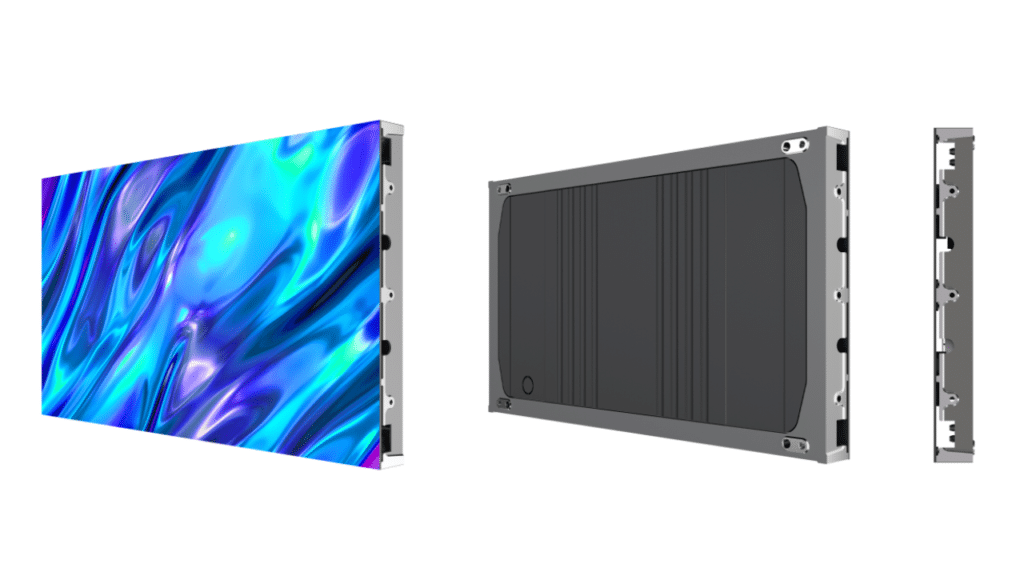
That same modularity is why the planning deserves attention. Every panel you add nudges the resolution, the weight, the power draw, and the math behind what looks sharp and what does not. So before anyone signs a purchase order, let the room do the talking.
Step 1: Start with how close people stand, not how big you want the wall
One mistake comes up again and again with LED video wall panels: planning the wall of your dreams and working backward. Flip that around. The distance between the screen and your nearest regular viewer is the number that drives everything else — it sets the pixel pitch, the pitch sets the cost, and the cost shapes the rest of the project.
So grab a tape measure and find the spot where someone will routinely stand or sit closest to the display in normal use. Note that gap. If people cluster across a range, use the shortest distance as your baseline. That single figure quietly unlocks the whole plan.
Step 2: Match pixel pitch to the room
Pixel pitch is the spec that decides how crisp your LED video wall panels look from any given spot — the gap, in millimeters, between one LED and its neighbor. Squeeze the LEDs closer and you get a tighter, sharper picture that holds up close, but you pay more per square foot. The craft of this step is lining the pitch up with where people actually sit.
The rule of thumb most pros lean on is simple. Take the pitch in millimeters, multiply by ten, and that is the closest distance in feet where the wall still looks seamless. A 2mm panel reads clean from about twenty feet; a 10mm panel wants a hundred.
Here is how that shakes out for the rooms most people are actually fitting out:
| Environment | Typical viewing distance | Recommended pixel pitch |
| Control room / command center | 4–12 ft | P0.9–P1.5 |
| Conference & boardroom | 8–15 ft | P1.5–P2.5 |
| Lobby, lecture hall, classroom | 10–20 ft | P1.8–P2.5 |
| Retail & digital signage | 10–25 ft | P2.5–P3.9 |
| Gym, auditorium, large venue | 30–50 ft | P4–P6 |
| Outdoor / stadium board | 50–100+ ft | P6–P10 |
The short version: indoor rooms, where people sit close, reward a finer pitch in the P1.5 to P3 range so text and detail stay crisp at arm’s length. Outdoor and far-throw setups can run a coarser P6 to P10 and still look flawless, for a lot less money. OneScreen’s modular LED video wall panels come in 0.94, 1.25, 1.56, and 1.86mm pitches — enough to cover a fine-detail command center down to a roomy meeting space without leaving the lineup.
Step 3: Size the LED video wall to the space
With the pitch nailed down, sizing your LED video wall is mostly arithmetic plus one handy rule. For a comfortable view, aim the screen height somewhere between a sixth and an eighth of your farthest viewing distance. Once you have the height, your aspect ratio fills in the width.
Two habits save grief. First, LED cabinets ship in fixed sizes, so design in whole-cabinet steps — less waste, easier servicing later. Second, stay with 16:9 unless you have a reason not to; it keeps everyday content compatible and leaves room to upgrade. And one counterintuitive note: do not chase size for its own sake. A slightly smaller wall with a tighter pitch often returns more value than a bigger one you stretched the budget to reach.
Step 4: Set brightness for the lighting
Brightness lives in nits, and the figure you need rides entirely on the light around the wall. A controlled indoor room is happy near 600 nits — right where OneScreen’s COB all-in-one and modular led video wall panels land. A glass-fronted lobby flooded with daylight, or an outdoor scoreboard fighting the sun, is another animal entirely; those demand serious output, which is why OneScreen’s sports scoreboard builds push past 5,000 nits to stay legible in direct sun.
The trap: plan for the brightest moment the wall will ever face, not the dim evening demo where everything looks gorgeous. A display that dazzles at 7 p.m. can vanish at 11 a.m. with the blinds open.
Step 5: Plan mounting, power, and processing early
This is the step beginners breeze past and veterans fuss over. An LED video wall weighs more and draws more current than most people guess. Panels feel light one at a time, but stack enough and a large wall, hardware included, can tip well over a ton — so whatever you bolt it to has to genuinely carry the load, sometimes with reinforcement.
Power and signal earn the same care. These LED video walls pull real wattage, so a proper electrical plan is not optional, and a site survey before install day catches the expensive surprises. On the signal side, a professional processor — the NovaStar and Brompton names come up constantly for good reason — drives the image across all the panels; a consumer-grade controller has no business running anything mission-critical. OneScreen’s all-in-one and modular walls bring onboard Android or Windows control, which strips a lot of this out of a standard indoor job.
The point is blunt: weatherproofing, cabinet weight, circuit capacity, and cable runs all belong in the plan before the order goes in — not as a scramble once the crew is standing in your lobby.
Step 6: Choose your content software and install partner
A video wall with nothing on it is an expensive dark rectangle, so content is part of the plan, not a problem for later. Every OneScreen LED Video Wall comes with a full year of Cloud Studio, the cloud signage platform that runs your scheduling, devices, notifications, and analytics. It ships with 200-plus ready-made templates and plugs straight into YouTube, Instagram, X, Facebook, and Canva, so you decide what plays, where, and for how long — from anywhere.
Then there is the install, where the OneScreen bundle quietly earns its keep. Every LED video wall turns up with expert delivery and installation, an advanced 3-year warranty, and free, unlimited 24/5 GURU support — the same live help-and-training service behind the whole OneScreen catalog, with no subscription and no per-ticket charge. Six months in, if something needs tweaking, a real person walks you through it.
Choosing the right OneScreen LED video wall panels
OneScreen built the range so you fit the form factor to the job instead of bending the job around the hardware:
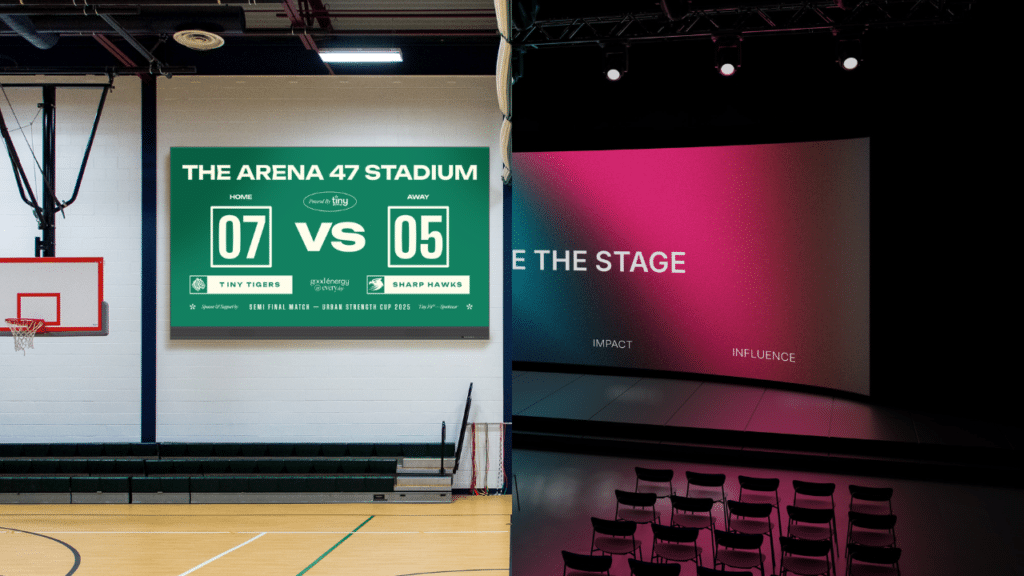
- COB All-in-one Video Walls — Chip-on-board flip-chip panels at 136″, 163″, and 217″, with optional infrared multi-touch and a choice of Android or Windows. The most direct route to a premium fixed wall in a lobby, lecture hall, or command center.
- Modular LED Video Walls — Built to spec from 27″ and 54″ modules, pixel pitches as fine as 0.94mm, and indoor or outdoor durability with dust and splash protection. The pick when the wall has to hit an exact footprint.
- Foldable LED Video Wall — A plug-and-play portable wall at 110″ and 138″, made for teams that move a display between rooms or sites.
- LED Digital Poster — Pre-assembled mobile signage you can run alone or stack into a larger portable wall.
- Custom Video Walls — Curved, ball-strike-resistant, or fully bespoke builds for retail floors, gyms, and architectural spaces, handled turnkey from design through installation.
When Cumberland County Schools kitted out their command center with OneScreen led video wall panels, staff started calling the result their “Dream Walls” — and noted the quality landed at close to half the cost of the premium options they had weighed. That is what good planning buys you: the most impact per dollar, and no nasty shocks on install day.
Common LED video wall planning mistakes to avoid
A short list of the slip-ups that wreck installations most often:

- Designing around the wall space instead of the viewing distance. The room sets the spec; do not let it work the other way.
- Picking pixel pitch on price alone. Too coarse and the pixels show; too fine and you have paid for clarity nobody can see.
- Forgetting power and mounting. A wall your structure or your circuit cannot support is a construction project, not a purchase.
- Ignoring future growth. Modular led video wall panels are made to expand — plan the cabinet grid and the signal chain so you actually can.
- Skipping the site survey. Fifteen minutes with a tape measure saves five figures in rework.
Frequently asked questions
What is the difference between an LED video wall and a regular flat-panel display?
A flat panel is a single sealed screen that runs out of room around 98 to 110 inches. An LED video wall is assembled from modular led video wall panels that tile together, so it scales to almost any size or shape, runs brighter, and lets you replace one damaged section instead of the whole unit.
How do I calculate the right pixel pitch for my LED video wall?
Measure how far away your closest regular viewer will be, then multiply your pixel pitch in millimeters by ten — that is the minimum distance in feet where the wall still looks seamless. A P2 wall is sharp from roughly twenty feet, a P1.5 wall from about fifteen. Match the pitch to that distance and you dodge both pixelation and overspending.
How big should my LED video wall be?
Set the screen height at a sixth to an eighth of your farthest viewing distance, then let your aspect ratio fill in the width — 16:9 keeps standard content easy. Always size in whole-cabinet steps so the panels line up cleanly.
Do LED video wall panels need professional installation?
For anything past a small all-in-one unit, yes. Mounting weight, power load, and signal processing all have to be engineered around the space. OneScreen folds expert installation and 24/5 GURU support into every wall, so it is not resting on your shoulders alone.
How long do LED video wall panels last?
Direct-view LED walls are typically rated for around 100,000 hours, and because they are modular, individual panels can be serviced or swapped rather than junking the whole display — a big part of why they outlive older display technology.
Final word
Planning an LED video wall installation really is a chain of questions answered in order: how close are people, how sharp does it need to be, how big, how bright, how is it held up and powered, and what plays on it. Work down the list and the hardware choice more or less makes itself.
OneScreen’s LED video wall panels answer every one of those — fine-pitch modular builds, bright all-in-one walls, portable and custom shapes — backed by Cloud Studio, a 3-year warranty, expert installation, and free unlimited GURU support. Measure first, follow the order above, and you end up with a wall that looks every bit as good from the back row as it does in the brochure.
The OneScreen LED Video Wall range spans every form factor — COB all-in-one, modular, foldable, digital poster, and custom — and ships with expert installation, a 3-year warranty, and free unlimited 24/5 GURU support.
