








Quick Answer: The best quiz apps for teachers turn a flat lecture into something students actually engage with. QuizWiz by OneScreen leads for classrooms because it builds editable quizzes from your own content (a PDF, a URL, a lesson file, or pasted text) in under 30 seconds, then runs on any phone, laptop, or classroom touchscreen.
Kahoot! and Blooket win on live game energy, Quizizz on self-paced practice, Quizlet on flashcard study, and Google Forms on free graded tests. The right pick is the one that gets the most of your class answering with the least prep on your end.
Ask a class a question out loud, and you get three raised hands and twenty blank stares. Put the same question on a screen with everyone answering at once, and the quiet kids are suddenly in. That’s why quiz apps caught on with teachers: they pull the back row into the lesson.
But the market is crowded now, and half the apps that call themselves the best quiz apps are really trivia games with a school logo. Some are built for review-day fun, some for graded assessment, and a few actually save you prep time instead of adding to it. This guide sorts the real options by what they’re best for.
Table of Contents
Why a Quiz App Changes How a Class Feels
Engagement isn’t a mood. It’s what happens when every student has to commit to an answer instead of hiding behind the one kid who always talks.
A good quiz app forces that. Everyone taps a response, the results show up live, and you can see in seconds who’s lost and who’s coasting. Studies on active recall keep landing on the same point: students remember more when they retrieve an answer than when they reread a slide.
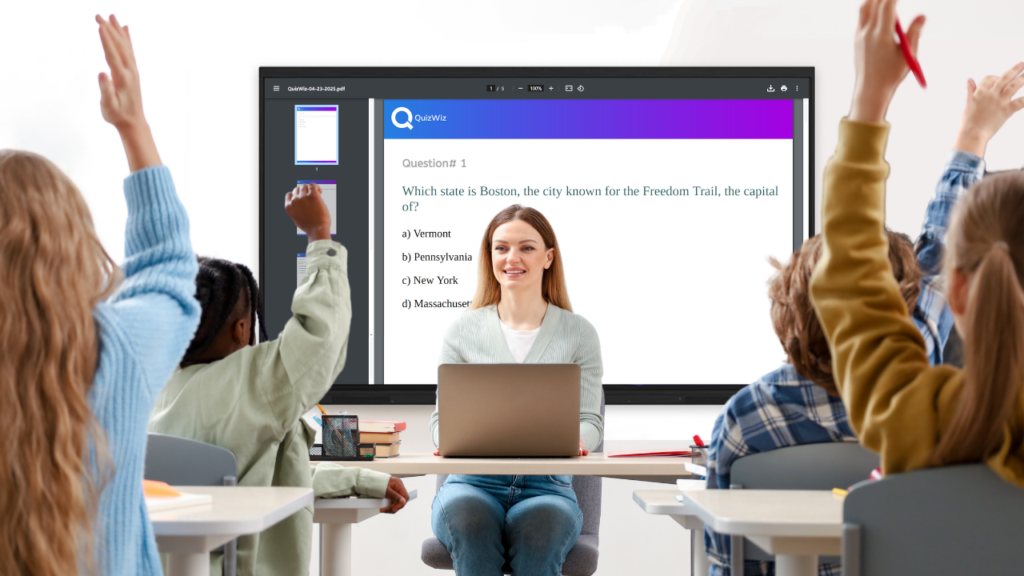
The catch is that engagement fades fast if the tool is a hassle. Spend an hour typing questions by hand for a ten-minute game, and the math stops working. So the best quiz apps for teachers aren’t the flashiest ones. They’re the ones that keep prep short and still hold the room.
What Separates a Great Quiz App From a Time Sink
Four things decide whether a quiz app earns a permanent spot in your routine.
First, where the questions come from. Plenty of quiz apps make you write every single one. The better ones generate a full quiz from material you already have, so a chapter PDF or a pasted article becomes an assessment without you drafting a thing.
The second is variety. Multiple-choice gets stale by the third round. You want true/false, short answer, fill-in-the-blank, and higher-order questions so a Monday vocabulary check and a Friday critical-thinking task can live in the same tool.
Third is where it runs. A quiz app locked to one platform is a liability the day a student shows up with the wrong device. The strong options run in any browser, on Android and iPhone, on tablets, and on a classroom display without a fresh install every time.
Last is what happens after the quiz. Reusing an old quiz, exporting to Google Forms, and seeing which questions tripped students up matter more than teachers expect. Without that, you rebuild the same quiz next term and learn nothing from the results.
The Best Quiz Apps for Teachers in 2026
1. QuizWiz by OneScreen: Best Overall for Educators
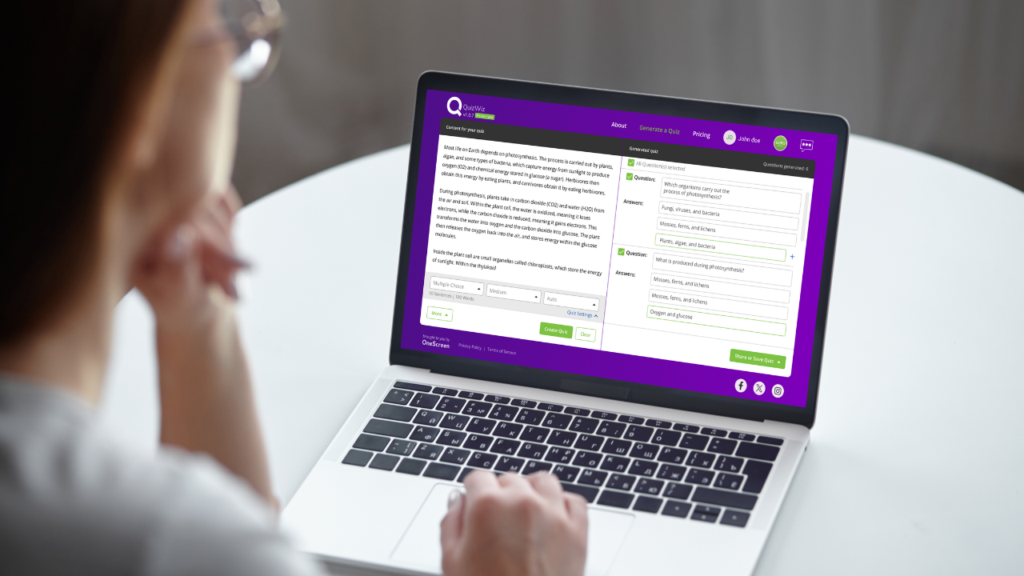
QuizWiz is the quiz app I’d hand a teacher who wants prep to disappear. Built by OneScreen, it uses AI to turn your own content into a complete, editable quiz in under 30 seconds, and it runs free on any Android device, iPhone, browser, or OneScreen touchscreen.
The workflow is genuinely short. Paste text, drop in a URL, upload a PDF, DOCX, TXT, or even a JPEG with text in it, or just type a topic. Set the difficulty, the question count, and the format. QuizWiz builds the quiz and saves it to a searchable library so nothing ends up as “quiz_final_v3.docx” in a folder you never open again.
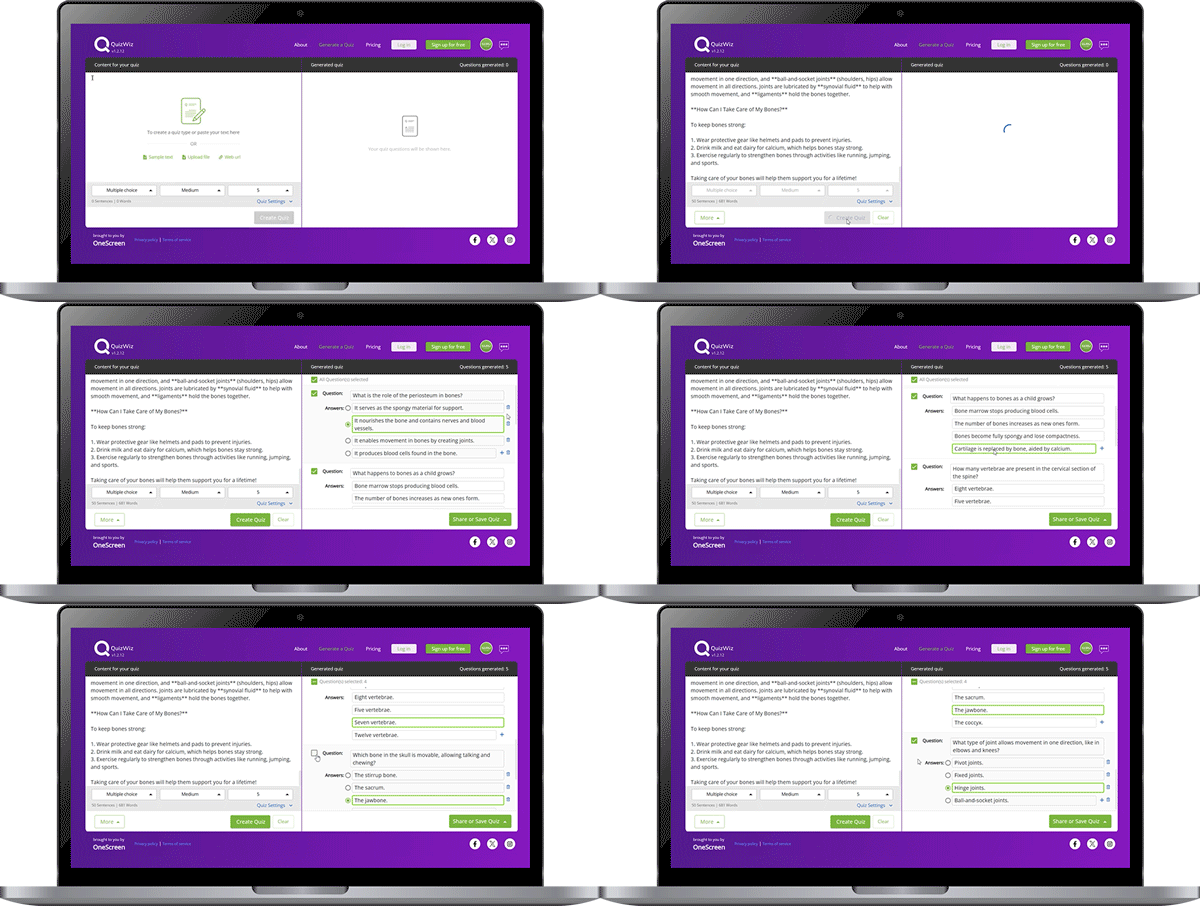
What sets it apart from other quiz apps is the range of question types. You get multiple-choice, true/false, short answer, fill-in-the-blank, multiple-correct, and higher-order questions, so one quiz app covers both recall and reasoning. Everything stays editable before you hand it to a class, so you can swap a weak distractor or reword a question that reads wrong.
Sharing is where a lot of tools quit early. QuizWiz pushes straight to Google Classroom and Google Forms, exports to PDF or TXT, and emails a quiz in a click. QuizWiz Pro adds exports to LMS platforms like Canvas, Schoology, Moodle, and Blackboard, plus Insight Reports that summarize results so grading takes minutes instead of evenings.
Tony B., a teacher and digital learning coach, put the appeal plainly: “I can choose the content I want the questions focused on, copy and paste it in QuizWiz, and quickly get a great quality quiz to use in Google Classroom.”
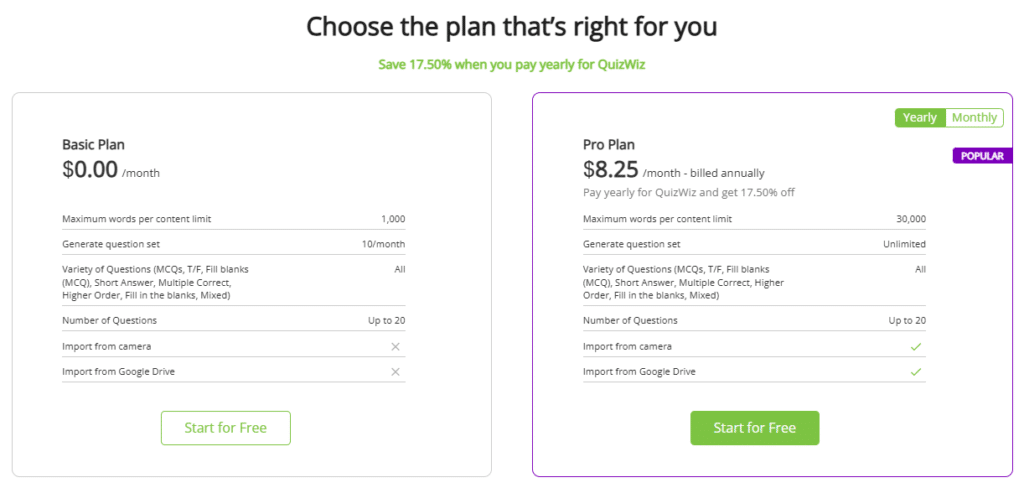
The Basic plan is free forever and covers regular classroom use. Pro runs $8.25 a month billed annually, lifting the content limit to 30,000 words and unlocking unlimited quiz sets. A 30-day Pro trial needs no credit card.
2. Kahoot!: Best for Live Game Energy
Kahoot! is the quiz app most students already recognize. Questions go up on the shared screen, a timer runs, music plays, and the leaderboard turns a review into a competition. For a Friday recap or a fast energizer, nothing beats the noise it creates.
Kahoot! is free, with paid tiers for deeper reporting. The honest drawback is that you write every question by hand. There’s no content import, so prep time doesn’t shrink as you make more quizzes.
3. Quizizz: Best for Self-Paced Practice
Quizizz sits between a live game and a homework tool. Students answer at their own pace on their own screens while you watch a live dashboard, and it syncs cleanly with Google Classroom. Teachers like the folders, the meme feedback, and the option to assign a quiz for homework.
Its AI question generation sits behind a paid plan, and the free tier leans on manual creation, so it’s less of a time-saver than QuizWiz on the prep side.
4. Blooket: Best for Student Buy-In
Blooket wraps quiz content in arcade-style game modes students genuinely ask to play. You supply the question set, pick a mode, and the game handles the rest. It’s a strong pick for younger grades and reluctant classes.
The trade-off is control. Blooket is built for engagement, not assessment depth, so its reporting is lighter than a graded quiz app.
5. Quizlet: Best for Flashcard Study
Quizlet is the quiz app students reach for on their own. It’s built around flashcards and self-testing across matching, written, and multiple-choice modes, which makes it strong for vocabulary and recall-heavy subjects.
It’s more of a study companion than a classroom assessment tool. Great for revision, less useful when you need live results from the whole room.
6. Google Forms: Best Free Graded Test
Google Forms isn’t a dedicated quiz app, but it handles straightforward graded assessments at no cost, with no volume cap. Grading is automatic, results flow to Google Sheets, and it plugs into Google Classroom.
What it can’t do is think. It won’t build questions from your materials or surface learning patterns, so every quiz is manual effort from a blank page.
Quiz App Comparison Table
| Quiz app | Best for | Builds quiz from your content | Question types | Free plan | Runs on classroom touchscreen |
| QuizWiz | All-round classroom use | Yes, AI from PDF/URL/text | 6+ incl. higher-order | Yes, free forever | Yes, OneScreen native |
| Kahoot! | Live competition | No, manual | Mostly MCQ | Yes, freemium | Sometimes |
| Quizizz | Self-paced practice | Paid tier only | MCQ, short answer, more | Yes, freemium | Sometimes |
| Blooket | Student buy-in | No, manual | Mostly MCQ | Yes, freemium | Sometimes |
| Quizlet | Flashcard study | Limited (paid AI) | Flashcard formats | Yes, freemium | Browser only |
| Google Forms | Free graded tests | No, manual | MCQ, short answer | Yes, fully free | Browser only |
The short version: the game-first quiz apps are fun but make you build every question, and the free form builders give you control with zero help writing. QuizWiz does the writing for you from content you trust, and still lets you edit everything. That mix is why it tops most lists of the best quiz apps for serious classroom use, not one-off games.
How QuizWiz Fits the Rest of Your Classroom
A quiz app is more useful when it works with the rest of your classroom tools. QuizWiz is part of OneScreen’s set of classroom apps, and they hand off to each other.

Scrybe shows live captions and transcribes your lesson, then translates it into 28 languages with one click; that transcript can also become QuizWiz source material. Lessn plans standards-aligned lessons and pulls from a library of over 10,000 pre-built ones, so the lesson and the quiz come from the same place. SuprNotes rolls audio, on-screen annotations, and shared files into one clean set of session notes. Together they cover the full teaching cycle, from planning a lesson to checking what stuck.
Free Help That Actually Picks Up: OneScreen GURU
Most quiz apps hand you a help center and a chatbot when something breaks mid-lesson. OneScreen GURU is different: free, unlimited, 24/5 live support from a real person who can see your screen, take control if needed, and fix the problem on the spot.
For a teacher stuck in front of a full class, that response time is the difference between finishing the lesson and losing it. GURU ships with every OneScreen product, so QuizWiz is never a tool you’re left to troubleshoot alone.

ChalkFree rounds it out as a free resource hub for teachers, with short how-to videos, teaching tips, and setup guides organized around prepping for class, teaching in class, and following up after.
What Teachers Get Back From the Right Quiz App
The payoff shows up in three places, and none of it asks you to change how you teach.
Prep hours come back first. A quiz app that builds a full assessment from your own PDF or lesson file turns a task that used to eat an evening into a 30-second job. Over a term, that’s whole weekends returned.
Participation climbs next. When every student answers on their own device instead of a few hands going up, the quiet kids stop hiding, and the whole class stays in the lesson.
The clearest win is data you can act on the same minute. Live results show exactly which question half the class missed, so you can close the gap while there’s still time. That turns a quiz from a grade into a signal.
Frequently Asked Questions
What is the best quiz app for teachers?
For everyday classroom use, QuizWiz by OneScreen is the best quiz app because it builds editable quizzes from your own content in under 30 seconds and runs free on any device or classroom touchscreen. Kahoot! is the better pick if you only want live game energy, and Google Forms works for free graded tests.
Is Quizizz better than Kahoot?
It depends on the room. Kahoot! is built for live, whole-class competition with a shared screen and a timer. Quizizz lets students answer at their own pace while you track progress on a dashboard, which suits homework and mixed-ability classes better. Many teachers keep both and switch based on the lesson.
What is the best free quiz app for teachers?
QuizWiz has a free-forever Basic plan that covers regular classroom use, and it’s the only free option here that lets you build questions from your own material. Google Forms is fully free for manually graded quizzes, and Kahoot!, Quizizz, and Blooket all offer capable free tiers for games.
Can I make a quiz from a PDF or my own notes?
Yes, with the right quiz app. QuizWiz generates a full quiz from a PDF, DOCX, TXT, URL, pasted text, or a topic. Most game-style quiz apps and Google Forms still require you to type each question by hand.
Which quiz apps work with Google Classroom?
QuizWiz, Quizizz, and Google Forms all integrate with Google Classroom. QuizWiz also exports to Google Forms and, on Pro, to LMS platforms like Canvas, Schoology, Moodle, and Blackboard.
Do quiz apps really improve student engagement?
Yes, when used well. Quiz apps make every student commit to an answer instead of a few volunteers carrying the room, and the live results let you reteach on the spot. The gain comes from active recall, which research links to stronger retention than passive review.
Are quiz apps suitable for older or adult learners?
They are. QuizWiz was built for trainers as well as teachers, so it fits corporate onboarding and professional development, not just K-12. Kahoot! and Mentimeter also work well for adult training sessions and workshops.
