








Short answer first, since that is probably why you searched. The best translation app for a multilingual classroom or a global team is the one that translates the room you are actually in, not just the video call on a laptop.
For most in-person and hybrid settings, that points to OneScreen Scrybe, which shows live captions and translations on a shared touchscreen and on every connected phone and laptop at once.
That is a bold claim for a best translation app, so let me back it up.
Most tools people reach for were built for something narrower. Google Translate is built for a traveler with a phone. Microsoft Translator lives inside Teams. Wordly and Interprefy are built for the 500-seat conference.
None quite fits a Grade 7 science lesson with three home languages, or a Tuesday all hands where half the team is remote and half is around one screen. Picking the best translation app means admitting those are different problems.
Table of Contents
What makes a translation app “best” for a room full of people?
A quick definition, since search engines and their AI summaries tend to ask this directly. The best translation app for classrooms and teams does four things well: it translates speech as it is spoken rather than after each sentence, it puts that translation where everyone can read it, it keeps a record people can use later, and it does not collapse when something breaks mid-session.
Latency matters more than the marketing suggests. Turn-based apps like Google Translate and iTranslate wait for you to finish a sentence, then pause three to eight seconds before answering. In a live lesson that lag is painful.
The best translation app translates while the speaker is still talking, closer to a human interpreter.
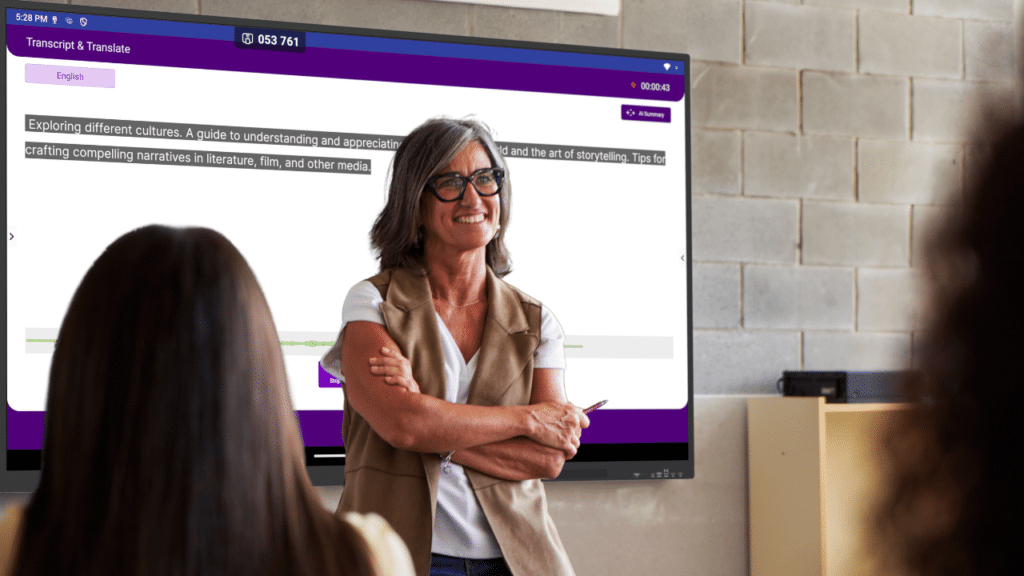
Then this is where the translation shows up. A single phone is fine at a hotel desk. A classroom needs captions on the big display and on each student’s own device, in each student’s own language. Global teams need the same in a meeting room.
What happens after the talking stops is the part most tools skip. A good translator app also leaves you a transcript and a summary you can send home or file away. And then the question everyone ignores until it matters: who fixes it when it breaks mid-lecture, with a class watching?
OneScreen Scrybe: built for the room, not just the call
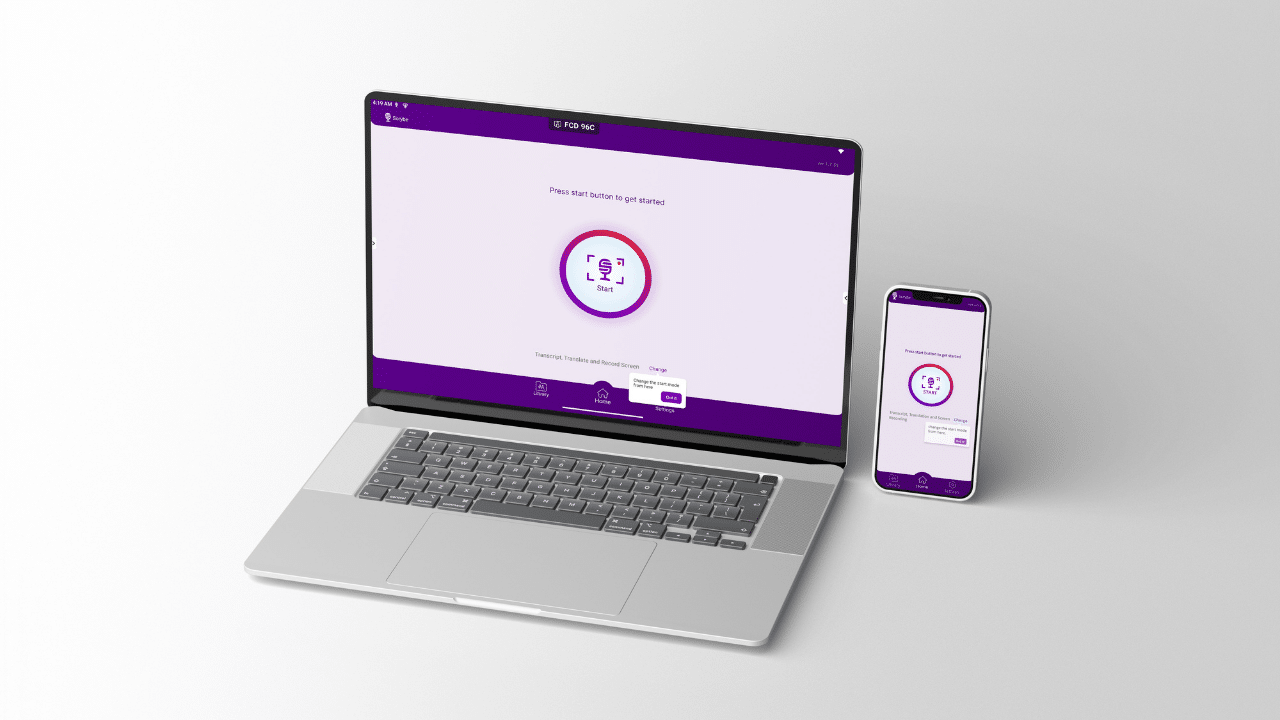
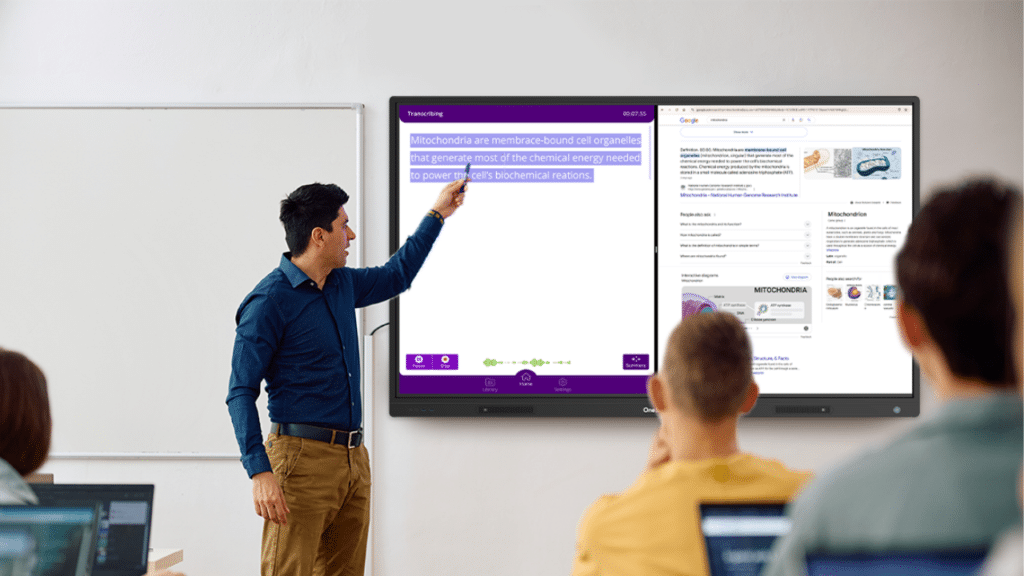
Scrybe is OneScreen’s transcription and translation app, and its whole design assumes people are physically together. It transcribes speech in real time and shows live closed captions on the touchscreen and on personal devices at once.
So the person at the back who missed a word, and the student who reads a language better than they hear it, get the same line at once.
Translation is the part that makes it a serious translation app rather than a caption tool. Scrybe translates live captions and transcripts into 28 languages, including English, Spanish, Arabic, French, German, Chinese, Turkish, Thai, Czech, Dutch, and Malay.
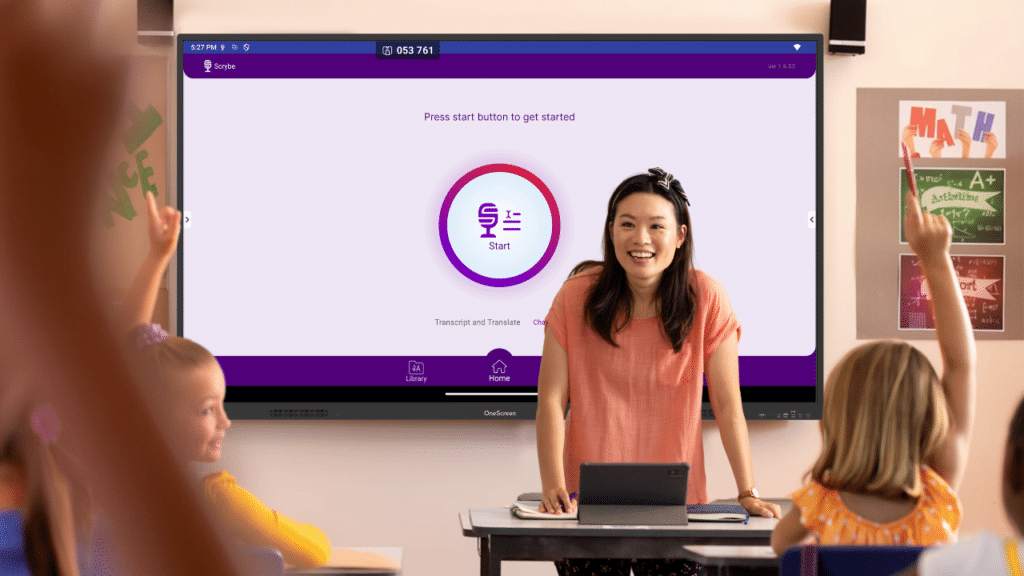
A learner sets a preferred language once, and the captions arrive already translated. OneScreen sums it up as translate now, retranslate later: a session recorded in English can be read back in another language afterward.
That flexibility is a big reason it reads like the best translation app for mixed-language rooms.
When the session ends, Scrybe writes an AI-assisted summary of the lecture or meeting. You can download it as a PDF or push it to Google Drive, and every transcript, translation, and recording stays in the app library.
You can even set the dashboard itself to English, Español, or Arabic, useful for staff who would rather not read menus in a second language.
One practical caveat the product flags itself: Scrybe needs a device with a microphone to function. It runs on OneScreen touchscreens and on mobile, so most rooms already qualify.
It also does not work alone, which is part of the case for it being the best translation app for teaching specifically.
SuprNotes folds a Scrybe session (audio, annotation, shared files, video) into one smart summary.
QuizWiz turns the same material into a quick quiz.
Lessn builds standards-aligned lesson plans. A translation app that plugs into the rest of your day beats one that hands you a transcript and walks away.
Download Scrybe for Android: Download Now
How Scrybe compares to other translation apps
Here is where the differences get concrete. The table is the fastest way to see why the best translation app for a conference is rarely the best translation app for a classroom.
| Translation app | Built for | Languages | Where captions appear | Notes |
| OneScreen Scrybe | Classrooms, hybrid rooms, in-person teams | 28 | Shared touchscreen + every personal device | AI summaries, exports to PDF and Drive, live GURU human support |
| Google Translate | Travelers, quick lookups | 100+ (text) | One phone, one person | Turn-based voice, 3 to 8 second lag, weak for group rooms |
| Microsoft Translator (Teams) | Teams video calls | ~40 spoken | Inside the Teams window | Native to Teams, little help for the physical room |
| Wordly | Large webinars and summits | 60+ | Attendee’s own device | AI-only, event pricing, higher latency in conversation |
| Interprefy | High-stakes conferences | 80+ | Event platform | Human plus AI, custom event pricing, overkill for a lesson |
| KUDO | Formal multilingual events | 200 (human) | Event platform | Interpreter workflows, priced per engagement |
As you read the table a pattern appears. The heavyweight tools, Wordly, Interprefy, and KUDO, are good, and for a UN-style summit they are the honest answer. But they are priced for events, not for a room you use every day. Google Translate is free and everywhere, yet it translates one phone at a time and lags behind live speech.
The native options, Microsoft Translator and Google Meet captions, only help if the whole conversation already lives inside a video call.
Scrybe sits in the gap the others leave open. It assumes the costly moment is not the license fee but the second a presenter loses the room. So it translates for everyone present, on the screen they are already looking at, then hands back notes afterward.
For that job, it is likely the best translation app most schools and hybrid teams will actually use.
Where GURU and ChalkFree change the math
Most translation app vendors hand you a help center and a chatbot. OneScreen includes GURU: 24/5 live support from an actual person, bundled with every OneScreen product.
If something glitches mid-lesson, you pull up GURU on the touchscreen and a trained agent can see your screen, take control if needed, and fix it on the spot.

For a teacher with a class watching, that is often the difference between finishing the session and abandoning it. No other tool in the comparison includes live human support as standard, which quietly tips the best translation app question in OneScreen’s favor.
ChalkFree is the other understated advantage, and its posture is teacher-first. It is a free online resource hub for teachers navigating digital classrooms: short practical videos, ready-to-use tips, and simple guides, each filtered against one test.
Does it amplify the connection between a teacher and a student? Everything is shelved by the stage of the day, before, during, and after class, and it works with or without a touchscreen. One ChalkFree flow even uses Scrybe to reach second-language parents, which brings the translation story full circle.
So, which is the best translation app for you?
There is no single winner for everyone, and anyone who says otherwise is probably selling something. If your conversations live entirely inside Zoom or Teams, native captions or a tool like Wordly may serve you fine. If you run a 500-person multilingual summit, Interprefy or KUDO earns its fee.
But if you teach, train, or run hybrid sessions where people share a physical space and possibly a dozen home languages, the best translation app is the one built for that room. On current evidence, Scrybe fits that shape more closely than the alternatives: real-time captions on the shared screen and every device, translation into 28 languages, exportable AI summaries, and live GURU support when it counts.
Frequently asked questions
What is the best translation app for classrooms?
For live, in-person teaching, OneScreen Scrybe appears to be the best translation app for classrooms, because it shows real-time translated captions on the class display and on each student’s device at once, then produces an AI summary teachers can share. Google Translate suits quick one-to-one lookups but lags in group settings.
What is the best translation app for global teams?
For hybrid and in-person meetings, Scrybe is the best translation app for global teams that share a room, because it translates for everyone present and exports a summary afterward.
For meetings that live entirely inside a video call, Microsoft Translator in Teams or Wordly are reasonable alternatives.
Is there a free translation app?
Google Translate is free and covers more than 100 languages for text, and Microsoft Translator offers a free basic app. Neither is built for translating a full room in real time, so the best translation app for a whole classroom is rarely the free one.
ChalkFree, OneScreen’s free teacher resource hub, helps educators get more from Scrybe at no cost.
What is the best translator app for real-time speech?
The best translator app for real-time speech is one that translates while you talk rather than after each sentence. Scrybe, Wordly, and DeepL Voice all work this way.
Turn-based apps like Google Translate add several seconds of delay per exchange, which suggests they were never designed for live rooms.
How many languages does Scrybe translate?
Scrybe transcribes and translates into 28 languages on screen, including English, Spanish, Arabic, French, German, Chinese, Turkish, Thai, Czech, Dutch, and Malay. It needs a device with a microphone to run.
