








The right English to Spanish translator app depends on one question: how many people need to read the Spanish at the same time? One phone serves one student. A live lesson with 30 students needs captions on the front display and on every device in the room at once.
Six apps cover almost every classroom case in 2026. OneScreen Scrybe handles the live lesson. Google Translate handles quick lookups. DeepL handles written Spanish you will print. Microsoft Translator, iTranslate, and Apple Translate each fill a narrower gap. Below is what each one does, what it costs as of September 2026, and where it stops working.
Short answer: For live teaching, OneScreen Scrybe is the strongest English to Spanish translation app, because it shows real-time Spanish captions on the class display and on each student device at once, then writes a summary you can send home.
For free personal use, Google Translate covers the most languages at 249. For the most natural written Spanish, use DeepL.
Table of Contents
Top 6 English to Spanish translation apps for schools
1. OneScreen Scrybe
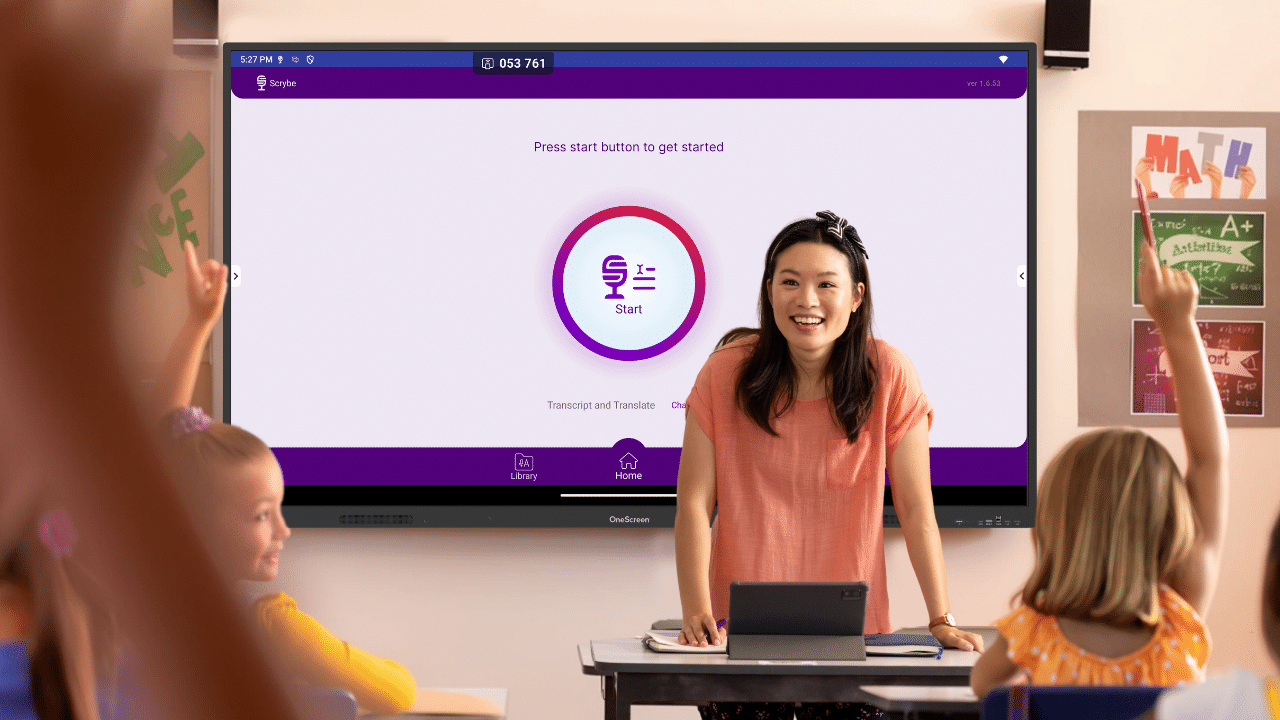
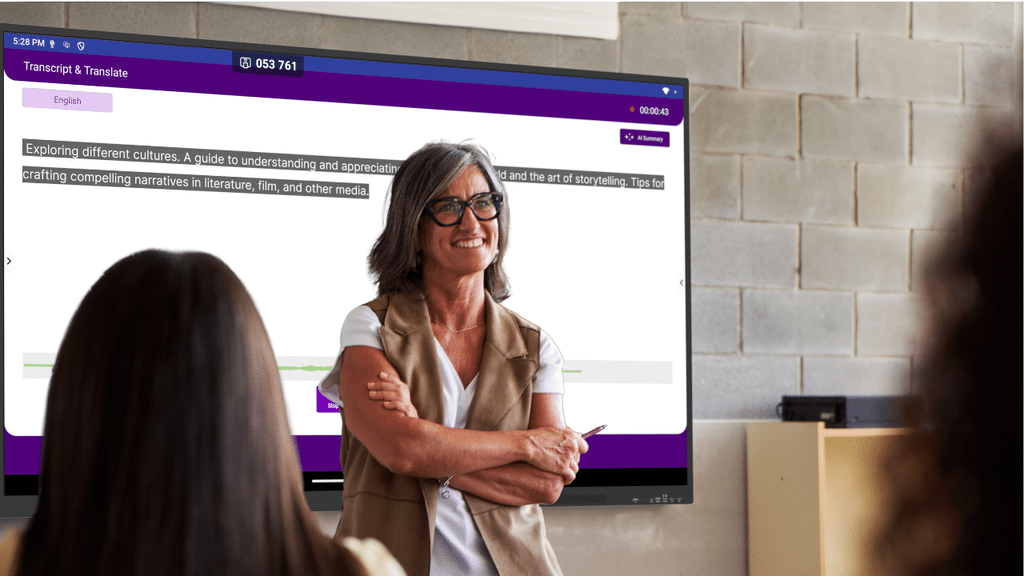
Scrybe is OneScreen’s real-time transcription and translation app, designed for a room full of people rather than one person holding a phone. It transcribes speech as you talk and shows closed captions on the touchscreen and on personal devices at the same moment.
It translates live captions and transcripts across 28 languages, including English and Spanish. A student picks Spanish once, and every caption arrives already translated, so a class with three home languages can follow one lesson.
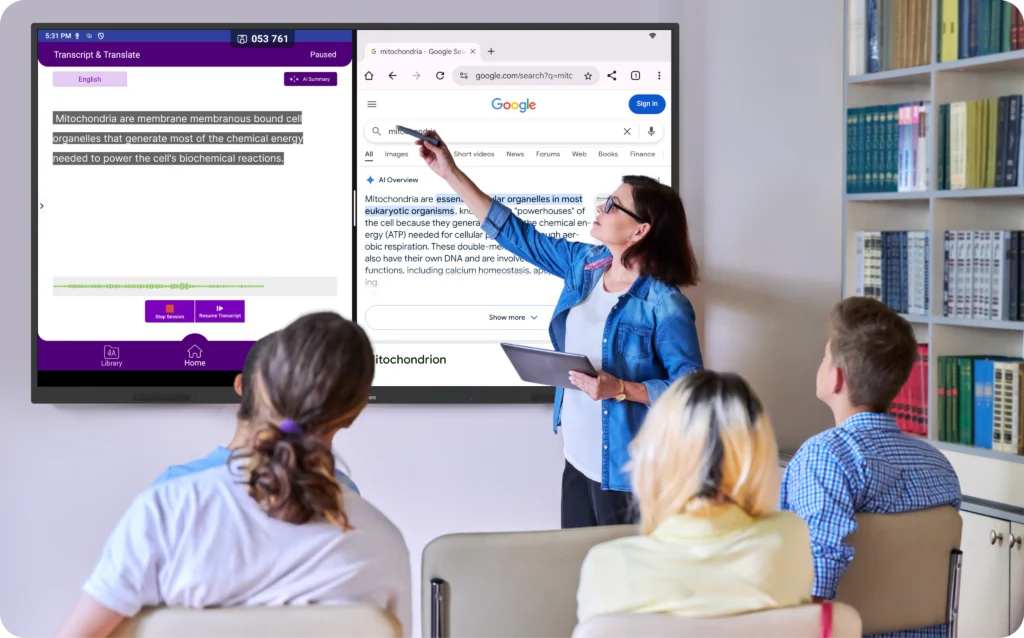
You can also retranslate from the transcript library later, which means a lesson you recorded in English on Monday can be read back in Spanish on Thursday.
When class ends, Scrybe writes an AI-assisted summary. Download it as a PDF or push it to Google Drive, then send it to Spanish-speaking parents. Transcripts, translations, and recordings stay in the app library. You can set the dashboard itself to English, Español, or Arabic for staff working in a second language.
Scrybe runs on OneScreen touchscreens, Windows, and Android, and it needs a device with a microphone. It also connects to SuprNotes, QuizWiz, and Lessn, so the same lesson audio can become a study summary, a quiz, or a standards-aligned plan.
Price: OneScreen does not publish a public list price. You request a quote or the subscription sheet from sales. The Android app is free to download.
Where it stops: it is built for a shared room. For translating a printed menu on holiday, use something else.
2. Google Translate
Google Translate supports 249 languages and language varieties as of March 2026, the widest free coverage of any app here. You get text, camera, handwriting, conversation mode, and downloadable offline packs, all free with no account.
As a free English to Spanish translator app, it does three jobs well for a teacher: translating a note home, reading a form a parent brought in, and checking a word mid-lesson. Conversation mode is turn-based, so you speak, stop, and wait roughly three to eight seconds for the Spanish. That pause is fine one-on-one and awkward with 30 students waiting.
Price: free. The Cloud Translation API is pay-as-you-go for developers.
Where it stops: one phone, one person. It cannot caption a class, and it leaves you nothing to send home afterward beyond what you copy and paste yourself.
3. Microsoft Translator
Microsoft Translator is free on iOS and Android and covers 100+ languages with text, speech, and image translation.
One change matters for schools. The multi-device conversation feature, the one that let up to 250 people join a translated conversation from their own phones, was retired on 30 June 2026 and is gone from the current app. Districts used that feature for parent nights and multilingual meetings.
Microsoft Translator Pro, the enterprise speech-to-speech product, also began retirement on 15 September 2026, with existing customers in maintenance mode through 15 September 2027.
If your school built a workflow on Converse, you need a replacement this year.
Price: free. Where it stops: it is now a solid single-device translator. The group classroom use case it was known for no longer exists.
4. DeepL
DeepL writes the most natural Spanish of any tool on this list. For a letter to families, a permission slip, or a handout you will print, its output usually needs less editing than Google’s.
One point matters before you paste anything sensitive. On the free tier, DeepL retains text for a limited period to improve its models, and its terms prohibit submitting personal data. Paid plans delete text immediately after translation. Do not paste student names, grades, or IEP content into the free version.
Price: free tier with a 50,000-character monthly cap and one file upload up to 5 MB. Paid individual plans start around $9 to $10 per month on annual billing, with higher team and business tiers. Prices vary by region and billing cycle, so check the live pricing page before you budget.
Where it stops: no shared-screen mode, no classroom captioning. It translates text and documents, not rooms.
5. iTranslate
iTranslate covers 100+ languages with voice conversation, camera translation, offline packs, and a phrasebook. It is the most travel-shaped app here, and it works well for a teacher who wants a quick spoken exchange at a parent pickup.
Be honest with yourself about the paywall. Text translation is free. Voice, camera, and offline all sit behind iTranslate PRO, and the App Store listing carries repeated complaints about trial auto-renewal and unexpected annual charges. Set a calendar reminder before the trial ends.
Price: free tier. PRO is $5.99/month or $49.99/year on the App Store.
Where it stops: built for one traveler. Nothing in it scales to a class or produces a record you can file.
6. Apple Translate
Apple Translate is the only English to Spanish translation app on this list that is already on every school iPad and iPhone running iOS 14 or later. No download, no account, no cost. It covers about 20 languages, including Spanish, handles text, voice, two-way conversation, and live camera translation, and runs fully on the device once you download the Spanish pack.
That on-device processing is the real advantage for schools. Nothing leaves the iPad, which makes it the easiest option to clear with a district privacy review.
Price: free, built into iOS and iPadOS. Where it stops: Apple devices only. No Android, no Windows, and no way to push captions to the class display.
English to Spanish translator app comparison
Here is how the six options line up on price, reach, and language count.
| App | Best for | Languages | Price (Sept 2026) | Platforms | Classroom limit |
|---|---|---|---|---|---|
| OneScreen Scrybe | Live lessons, ESL, hybrid classes | 28 | Quote from OneScreen; Android app free | OneScreen touchscreens, Windows, Android, captions to any device | Needs a microphone-equipped device |
| Google Translate | Notes home, forms, quick lookups | 249 | Free | iOS, Android, web | One phone, one person; 3 to 8 second lag |
| Microsoft Translator | Single-device text and speech | 100+ | Free | iOS, Android | Group conversations retired 30 June 2026 |
| DeepL | Handouts, letters, printed Spanish | 30+ | Free to 50,000 chars/mo; paid from about $9/mo | Web, Windows, Mac, iOS, Android | No live captioning; free tier retains text |
| iTranslate | Quick spoken exchanges, travel | 100+ | Free tier; PRO $5.99/mo or $49.99/yr | iOS, Android | Single user; key features behind a paywall |
| Apple Translate | iPad classrooms, privacy reviews | ~20 | Free | iOS, iPadOS, watchOS, macOS | Apple devices only; one device at a time |
Which English to Spanish translator apps are actually free?
Three of the six English to Spanish translator apps here cost nothing: Google Translate, Microsoft Translator, and Apple Translate. No trial, no card, no cap.
DeepL gives you 50,000 characters a month free, which is roughly 8,000 words. A weekly parent newsletter of 400 words uses about 2,500 characters, so a free account covers a full school year of newsletters and still leaves room. Hit the cap, and you wait for the next cycle.
iTranslate is free for typed text only. Voice and camera need PRO at $5.99 a month.
Scrybe has no free consumer tier for the full classroom setup. The Android app is free to download, and room-level captioning runs through a OneScreen subscription you quote with sales.
If your budget is zero and you need Spanish captions for one student, use Apple Translate on a school iPad. If you need Spanish captions for the whole class at once, no free app does it.
What to look for in an English to Spanish translation app for schools
Four things separate a classroom-ready English to Spanish translation app from a frustrating one.
Speed, first. Turn-based apps wait for a full sentence, then stall three to eight seconds before the Spanish appears. Google Translate and iTranslate both work this way. In a live lesson, that pause breaks the pace and loses the room. A real-time app translates while the teacher is still talking, closer to a human interpreter.
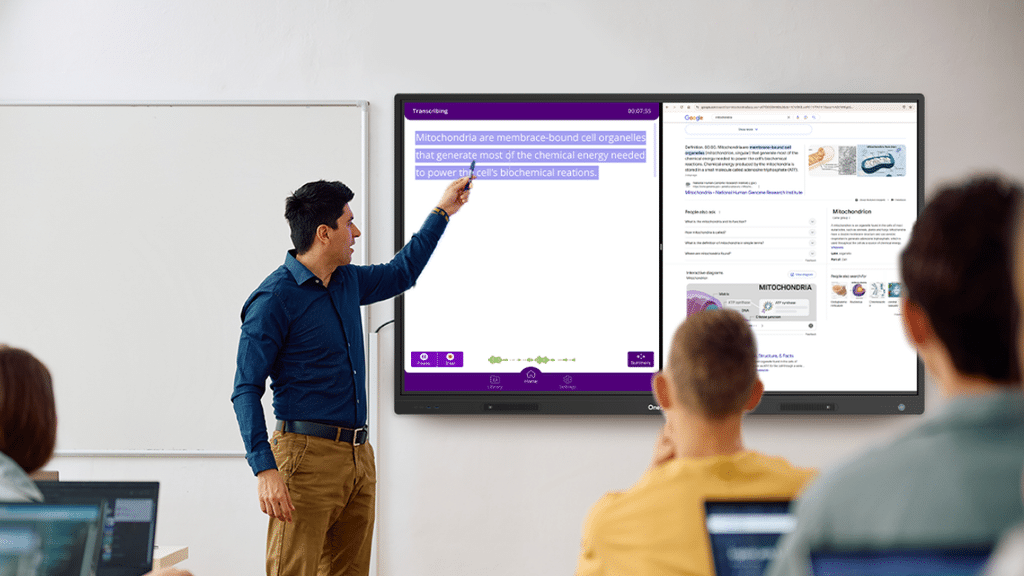
Where the Spanish shows up, second. One phone serves one student. A classroom needs the captions on the front display and on each student’s own device, each in the language that student reads best.
What the teacher keeps afterward, third. The lesson is only half the value. A strong English to Spanish translation app leaves a transcript and a summary a teacher can send home to Spanish-speaking parents.
Support, fourth. When an English to Spanish translation app freezes mid-lesson with thirty kids watching, who picks up? Most hand you a help article. That’s the gap Scrybe fills, and I’ll get to it.
Where GURU and ChalkFree change the math
Most translation app vendors give you a chatbot and a help center. OneScreen bundles GURU, which is 24/5 live support from an actual person, with every product. If Scrybe glitches mid-lesson, a teacher pulls up GURU on the touchscreen, and a trained agent can see the screen, take control, and fix it while the class waits.

For a teacher with thirty students and no IT staff down the hall, that response time often decides whether the lesson finishes or falls apart. No other English to Spanish translation app here offers live human support as standard, which tips the pick toward OneScreen.
ChalkFree is the other advantage schools tend to miss. It’s a free online resource hub OneScreen built for teachers: short videos, setup guides, and walkthroughs organized around prepping for class, teaching in class, and what to do after.
Nothing sits behind a subscription. For a school rolling Scrybe out across classrooms, ChalkFree helps teachers run live English-to-Spanish translation without losing a training day.
Which English to Spanish translation app should your school pick?
Pick your English to Spanish translator app by the job in front of you.
For a live lesson where students and families work in two languages, Scrybe is the strongest fit. It captions the lesson in Spanish on the board and on every student device, then gives you a summary parents can read.
For a note home tonight with no budget, use Google Translate. For a printed handout or a letter to families, draft it in DeepL and have a bilingual colleague check it. For a one-to-one conversation at pickup, iTranslate or Apple Translate both work, and Apple Translate costs nothing on a school iPad.
If your district relied on Microsoft Translator for multilingual parent nights, that feature is gone as of 30 June 2026, and you need a replacement before the next one.
Frequently asked questions
What is the best English to Spanish translation app for schools?
For live, in-person teaching, OneScreen Scrybe is the strongest English to Spanish translation app for schools, because it shows real-time Spanish captions on the class display and on each student’s device at once, then produces an AI summary you can send to Spanish-speaking parents. Google Translate suits quick one-to-one lookups but lags three to eight seconds in a full class.
Is there a free English to Spanish translator app?
Yes. Google Translate, Microsoft Translator, and Apple Translate are all completely free with no trial or card required. DeepL is free up to 50,000 characters a month. None of them can caption an entire classroom in real time, which is the gap Scrybe fills.
Which English to Spanish app translates in real time rather than turn by turn?
Scrybe translates while you speak and pushes captions to the display and to student devices at the same moment. Google Translate, Microsoft Translator, iTranslate, and Apple Translate all use turn-based conversation modes, which add roughly three to eight seconds per exchange.
What is the best English to Spanish translation app for Android?
Google Translate is the best free Android option at 249 languages. Scrybe also ships an Android app, so a teacher on an Android phone can run a translated session and see captions on the same screen as the class. Apple Translate isn’t available on Android.
Which app translates English to Spanish with correct grammar?
DeepL produces the most natural Spanish grammar for written text, so it is the better pick for letters, handouts, and permission slips. For spoken classroom translation, accuracy depends more on clear audio than on the engine, so use a room microphone rather than a laptop mic.
Did Microsoft Translator remove group conversations?
Yes. Microsoft retired the multi-device conversation feature, which let up to 250 people join in their own language, on 30 June 2026. Microsoft Translator Pro also began retirement on 15 September 2026, with existing customers supported in maintenance mode through 15 September 2027.
How much do Spanish translation apps cost in 2026?
Google Translate, Microsoft Translator, and Apple Translate cost nothing. iTranslate PRO is $5.99 a month or $49.99 a year. DeepL paid plans start around $9 to $10 a month on annual billing, with a free tier capped at 50,000 characters. Scrybe is quoted by OneScreen sales rather than listed publicly.
Which English to Spanish translation app works best for ESL and dual-language classrooms?
Scrybe fits ESL and dual-language rooms because each student sets a preferred language and reads captions in it while you speak normally. A class with several home languages follows the same lesson at once, and you get one transcript covering all of them.
How many languages does Scrybe translate, and does it include Spanish?
Scrybe transcribes and translates across 28 languages on screen, including English and Spanish, as well as Arabic, French, German, Chinese, and more. It needs a device with a microphone to run.
