








Quick Answer: Lessn is an AI lesson plan app built by OneScreen for K-12 and high school teachers. Type a topic, pick your grade and standards, and it builds a complete, standards-aligned presentation in under 60 seconds. Edit the outline, pull from 10,000+ ready-made lessons, and export to PowerPoint, PDF, Google Slides, or Canva. The Basic plan is free, Pro starts at $8.25/month billed annually, and every OneScreen product includes OneScreen GURU: free, unlimited help & training.
Ask any teacher what they do on Sunday night, and you’ll hear a version of the same answer. They plan. They pull last year’s slides apart, hunt for a worksheet that fits, cross-check a standard, and rebuild a lesson from scratch for a class that isn’t last year’s class.
That routine eats the one resource teachers never get back: time. And it happens every single week.
Lessn was built to end it. It’s a lesson plan app that takes the part nobody enjoys, the blank-page build, and does it in under a minute so you can spend your energy on the part that actually matters. This guide covers what Lessn is, how it works, what it costs, and how it compares to the alternatives.
Table of Contents
What Is Lessn?
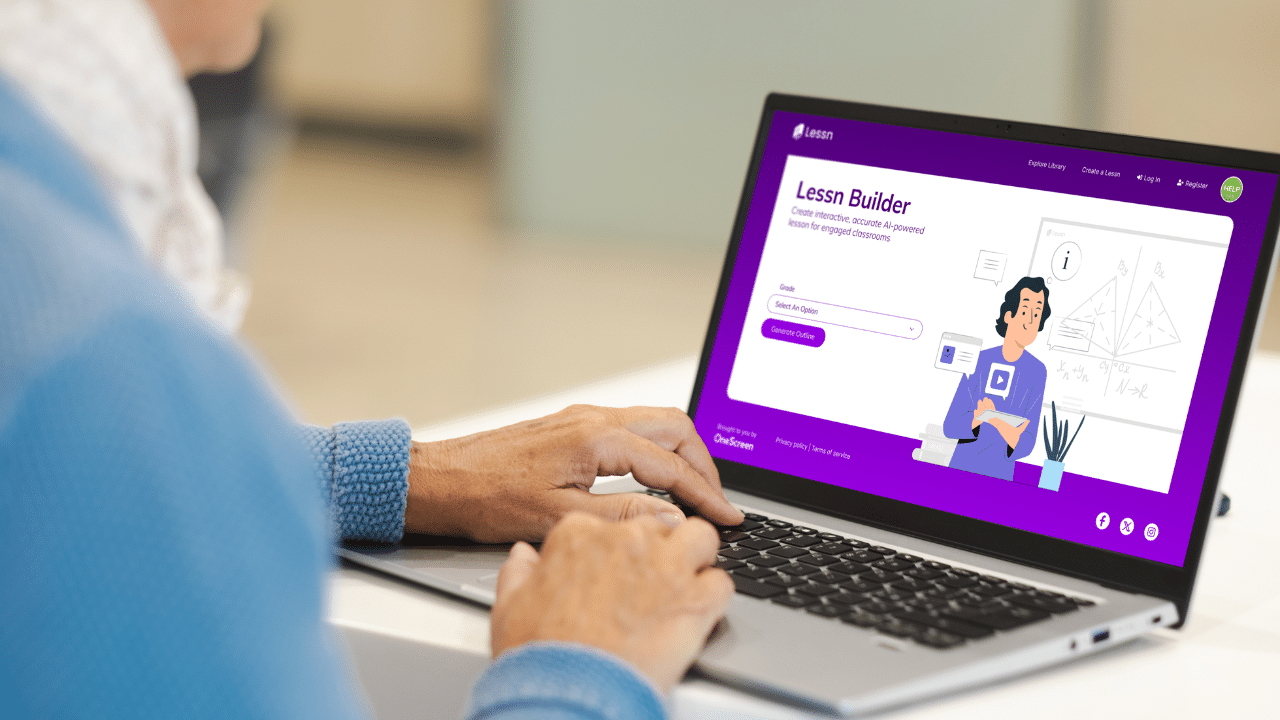
Lessn is an AI-powered lesson plan app created by OneScreen. You give the Lessn app a topic, a grade level, and a set of standards, and it generates a polished, ready-to-teach presentation in seconds—no template wrestling. No formatting. No late-night rebuild.
It works for any subject and any grade from kindergarten through high school. Type something broad like “The Civil War” or narrow like “why volcanoes erupt,” and Lessn meets you where you are. Every lesson it produces aligns to real curriculum standards, so you’re not guessing whether it matches what your district expects.
More than 10,000 teachers already use it. The homepage pitch is blunt and honest: teachers have stopped dreading Sunday nights. That’s the whole point of this lesson plan app.
Why Teachers Need a Better Lesson App
Lesson prep has quietly become one of the heaviest parts of the job. A teacher juggling multiple subjects or grade levels can lose hours a week building slides, writing objectives, and matching everything to a standards document.
Most of the tools meant to help don’t. Not every lesson app is built the same way. General AI chatbots produce generic outlines that ignore your state’s framework. Slide software makes you design every deck by hand. Template sites hand you a PDF you still have to rebuild for your own class.
A proper lesson app should solve the whole problem, not one slice of it. It should understand standards, generate real teaching content, let you shape the result, and hand you a file you can walk into class with tomorrow. That’s the gap Lessn fills, and it’s why this lesson plan app reads less like a slide generator and more like a planning partner.
How Lessn Works: Four Steps, One Minute
Lessn keeps the process short on purpose. This lesson plan app takes you from a blank screen to a finished lesson in four steps.
Step 1: Type in your topic. Enter what you’re teaching. Broad or specific, both work. You can also set the grade, subject, and number of slides right here.
Step 2: Pick your standards. Choose Common Core, NGSS, TEKS, or your own state’s curriculum. Lessn handles the alignment behind the scenes, so you never have to dig through a standards doc line by line again. Recommended standards are flagged, and you can filter by keyword or code.
Step 3: Make it yours. Lessn builds the outline, then hands you the controls. Rearrange topics, drag blocks to reorder, or ask the built-in AI chat to split a dense section or fix a math equation. The AI did the heavy lifting; the lesson is still yours.
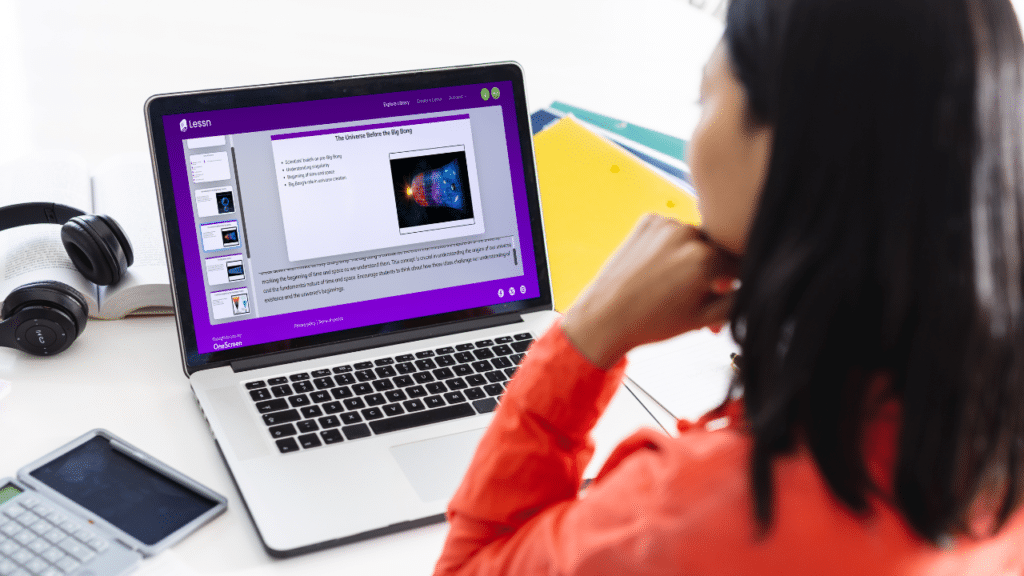
Step 4: Generate. One click turns your outline into a complete, polished presentation. It’s ready to teach the next morning, speaker notes included.
That’s the full loop. Type, pick, tweak, generate. Under sixty seconds start to finish, which is what makes this lesson app feel different from anything you’ve tried.
What You Get Inside the App
A good lesson plan app is more than a generator. Here’s what Lessn packs in.
Standards-based content, every time. Lessons follow strict quality guidelines aligned with core curriculum and built on U.S. national and state standards, including Common Core, TEKS, and NGSS. It holds up when an administrator asks how a lesson maps to the framework.
A library of 10,000+ ready-made lessons. Prefer to start from something proven? Browse lesson plan templates built by real educators across Math, Science, ELA, and Social Studies. Each one includes teacher notes, class activities, and quiz questions already written.
Real export options. Push your finished lesson to PowerPoint (PPTX), PDF, Google Slides, or Canva with a single click. Take it wherever your classroom lives, no lock-in.
A built-in AI builder. Can’t find what you need? Input the grade and topic, and the AI builder generates the slides in a click. Edit in draft mode or after downloading.
Teaching tools built for the room. Speaker notes, an annotation tool, and Web Presenter Mode come standard, so the lesson plan app supports you while you’re actually teaching, not just while you’re planning.
Activity Maker. Now in beta, it lets you spin up class activities to go with your lessons.
The OneScreen Ecosystem Around Lessn
Lessn doesn’t work alone. Because OneScreen built it, this lesson plan app plugs into a set of classroom apps that share the same free support model.
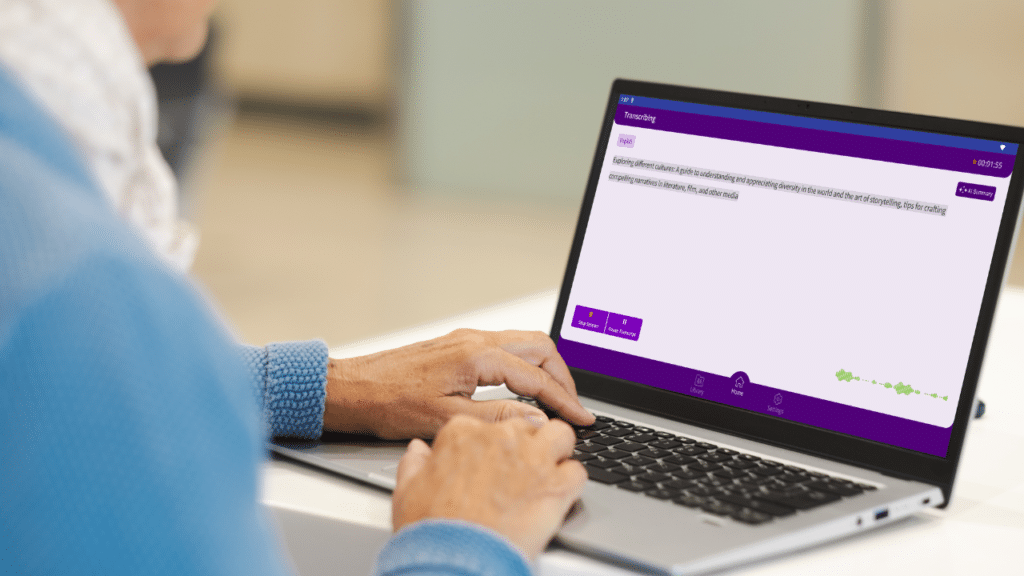
OneScreen Scrybe displays real-time closed captions and transcriptions of your lessons and sessions, and those transcribed notes translate into 28 languages with one click. For multilingual classrooms and accessibility, it’s a strong companion to any lesson app.
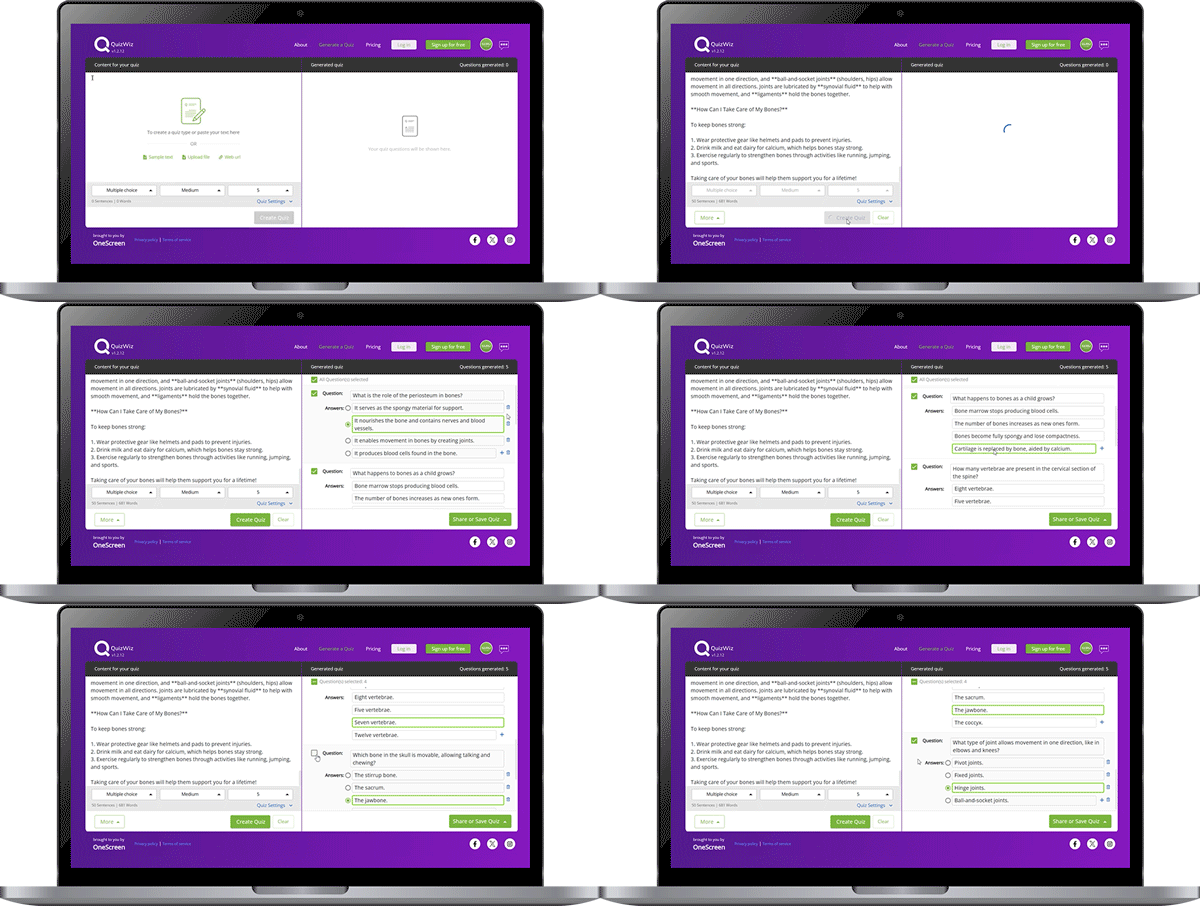
OneScreen QuizWiz is a fun, easy-to-use quiz platform for classrooms, training, and team activities. It boosts engagement with real-time feedback and customizable quizzes, turning a lesson into an assessment in minutes.
And behind it all is OneScreen GURU. Free, unlimited help & training comes with every OneScreen product. Most software companies charge extra for a human on the other end of the line. OneScreen doesn’t. If you get stuck building a lesson, aligning a standard, or exporting a deck, a real person is there to help at no added cost. That’s a genuine differentiator, and it’s why the OneScreen package works for one teacher or a whole district.
Lessn Pricing
Lesson plan pricing is simple, and it starts at free.
Basic plan, $0/month. Up to 5 lifetime presentations, your choice of state standards, access to pre-built lessons with up to 5 downloads, speaker notes, the annotation tool, Web Presenter Mode, K-12 plus high school lessons, and export to PPTX, PDF, Slides, and Canva—no credit card required.
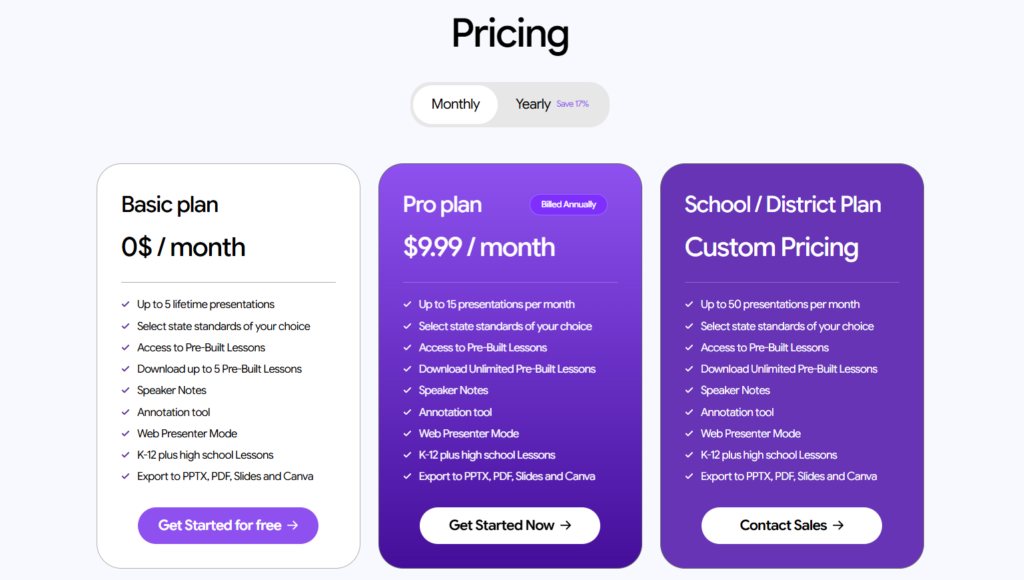
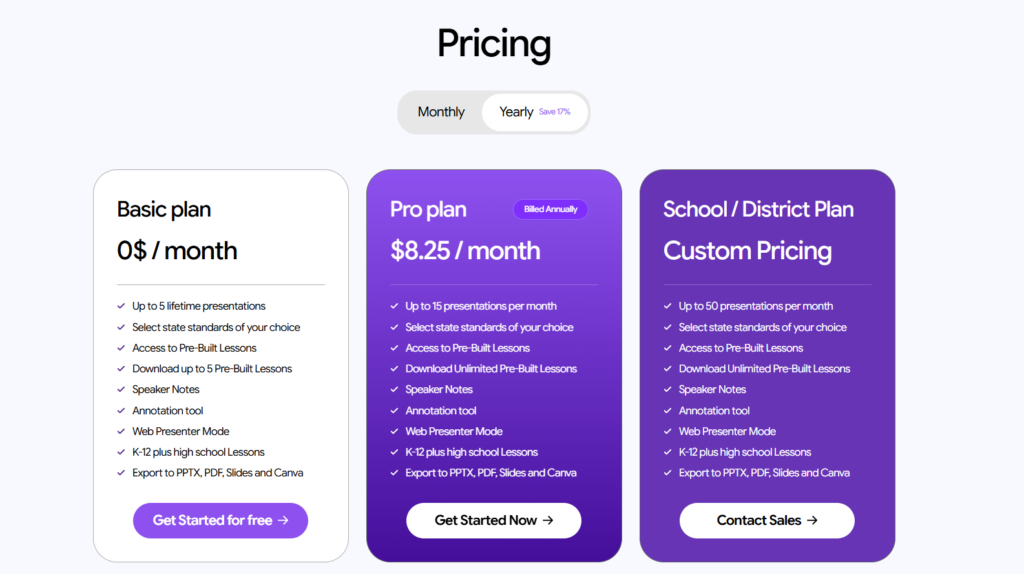
Pro plan, $8.25/month billed annually (or $9.99 month-to-month). Everything in Basic plus 15 presentations per month and unlimited pre-built downloads. Billing yearly saves around 17 percent.
School / District plan, custom pricing. Up to 50 presentations per month, unlimited pre-built downloads, and the full feature set, priced for teams. It’s the route for districts that want to standardize on one lesson plan app.
The free tier is generous enough to test the lesson plan app properly before you spend anything, which is exactly how it should be.
How Lessn Compares
Teachers weighing a lesson app usually compare it against three things: a general AI chatbot, standalone slide software, and doing it all by hand. Here’s how they line up.
| Feature | Lessn | General AI Chatbot | Slide Software | Manual Planning |
| Standards alignment (CCSS, NGSS, TEKS) | Built in | Manual, unreliable | None | Hours of cross-referencing |
| Time to a finished lesson | Under 60 seconds | 10-30 min of prompting | 1-2 hours of design | 2+ hours |
| Ready-made lesson library | 10,000+ templates | None | None | None |
| Speaker notes and activities | Included | Sometimes | You write them | You write them |
| Export to PPTX, PDF, Slides, Canva | One click | Copy-paste | Native to one format | Manual |
| Built for K-12 and high school | Yes | Generic | Generic | Yes, but slow |
| Live human support | Free 24/5 GURU | None | Paid tiers | None |
| Starting price | Free | Free-$20+/mo | $0-$13/mo | Free but costly in time |
The pattern is clear. A chatbot drafts an outline, but you verify the standards yourself. Slide software makes a nice deck, but only after you’ve built every slide. Manual planning gives full control at the price of your evenings. Lessn is the only lesson plan app here that handles alignment, content, and export together, then backs it with real support.
Who Lessn Is Built For
Lessn fits the teacher tired of trading weekends for slide decks, the new teacher without five years of saved lessons to lean on, and the veteran who wants a fast first draft to shape instead of a blank page to fear.
It also fits schools and districts that want every teacher to start from the same standards-aligned point without stitching together a separate lesson app for each task. Because it exports to the formats teachers already use and connects to Scrybe and QuizWiz, it drops into an existing classroom without forcing anyone to relearn their workflow.
If your slides need to follow state standards and you’d rather spend your time on students than formatting, this lesson plan app is worth trying first.
Frequently Asked Questions
Is Lessn actually aligned to my state’s standards, or does it just guess?
Lessn aligns lessons to real frameworks including Common Core, NGSS, TEKS, and state-specific curricula. You select the standards you want during setup, and the lesson plan app builds the lesson around them rather than tacking a label on afterward. As with any AI tool, a quick review before you teach is smart, but you’re starting from genuine alignment, not a keyword match.
Do I still have to review what the AI creates?
Yes, and that’s by design. Lessn gives you a strong first draft, then hands you full editing control in the customize step. Most teachers spend a few minutes adjusting pacing or swapping an example for something local. Your judgment turns an efficient draft into a lesson that fits your class.
Can I try Lessn for free?
Yes. The Basic plan is free and includes AI-generated lessons, access to the lesson library, standards selection, and PDF export, with no credit card required. It’s enough to test the lesson app on real lessons before deciding on Pro.
Is my data secure?
OneScreen states that lessons and personal information are encrypted and stored securely, and that data isn’t shared with third parties. For a district purchase, confirm that against your own compliance rules, but the baseline is encryption with no third-party sharing.
What file formats can I export?
Lessn exports to PowerPoint (PPTX), PDF, Google Slides, and Canva. That covers nearly every classroom setup, from a laptop to a OneScreen touchscreen.
How is Lessn different from just using ChatGPT?
A general chatbot gives you text you still have to format, fact-check for standards, and turn into slides yourself. Lessn is a lesson plan app purpose-built for teaching: it knows the standards, produces a finished presentation with speaker notes and activities, pulls from a 10,000+ lesson library, exports in one click, and comes with free, unlimited help & training through OneScreen GURU. It’s the difference between a raw draft and a lesson you can teach tomorrow.
Final Thoughts
The hardest part of teaching was never the teaching. It’s everything that piles up around it, and lesson prep sits at the top of that pile. A lesson plan app that genuinely understands standards, builds real content, and hands you a finished file in under a minute changes the math on your week.
Lessn does that, and the free tier lets you prove it before spending a cent. Pair it with Scrybe, QuizWiz, and OneScreen GURU’s free, unlimited help & training, and the OneScreen ecosystem covers everything from first draft to a classroom that runs the way you want.
Try Lessn free or see how it fits the OneScreen classroom—no credit card required.
