









Picking the wrong quiz app costs more time than it saves. The right quiz app turns your existing content into a ready-to-use assessment in seconds. It shows you how students performed. And it runs on every device without a fiddly setup.
This guide ranks the best quiz apps for Android and iPhone in 2026. You will see what each one does well and where it falls short. You will also see whether it can build questions for you, and which option gives teachers, students, and trainers the clearest advantage.
Table of Contents
What to Look for in a Quiz App
Four things separate a useful quiz app from a frustrating one.
Question creation: Can it build questions from material you already have? Or do you type every question by hand? A quiz app that doubles as a quiz maker saves hours over a term.
Question variety: Look for multiple-choice, true/false, and short-answer formats at a minimum. That keeps your assessments flexible for any subject.

Cross-device access: A strong quiz app runs on Android, iPhone, tablets, and browsers. Nobody gets locked to one platform.
Reporting: A class average tells you little. Useful reporting shows which questions tripped students up. It also tracks progress over time.
Best Quiz Apps for Android & iPhone in 2026: Quick Comparison
Here is how the top quiz apps stack up before we get into the details.
| App | Best for | Builds quizzes for you | Free plan | Platforms |
|---|---|---|---|---|
| QuizWiz | Overall, plus making quizzes | Yes, AI from your content | Yes, no creation cap | Browser, OneScreen displays |
| Kahoot! | Live group competition | No, manual entry | Yes, limited | Android, iPhone, browser |
| Quizlet | Self-paced studying | No, manual (AI on paid) | Yes, basic | Android, iPhone, browser |
| Quizizz | Self-paced class games | AI on premium only | Yes, limited | Android, iPhone, browser |
| Google Forms | Simple free quizzes | No, manual entry | Yes, unlimited | Android, iPhone, browser |
| Mentimeter | Workshop presentations | No, manual entry | Yes, limited | Android, iPhone, browser |
QuizWiz by OneScreen: Best Quiz App for Students & Educators
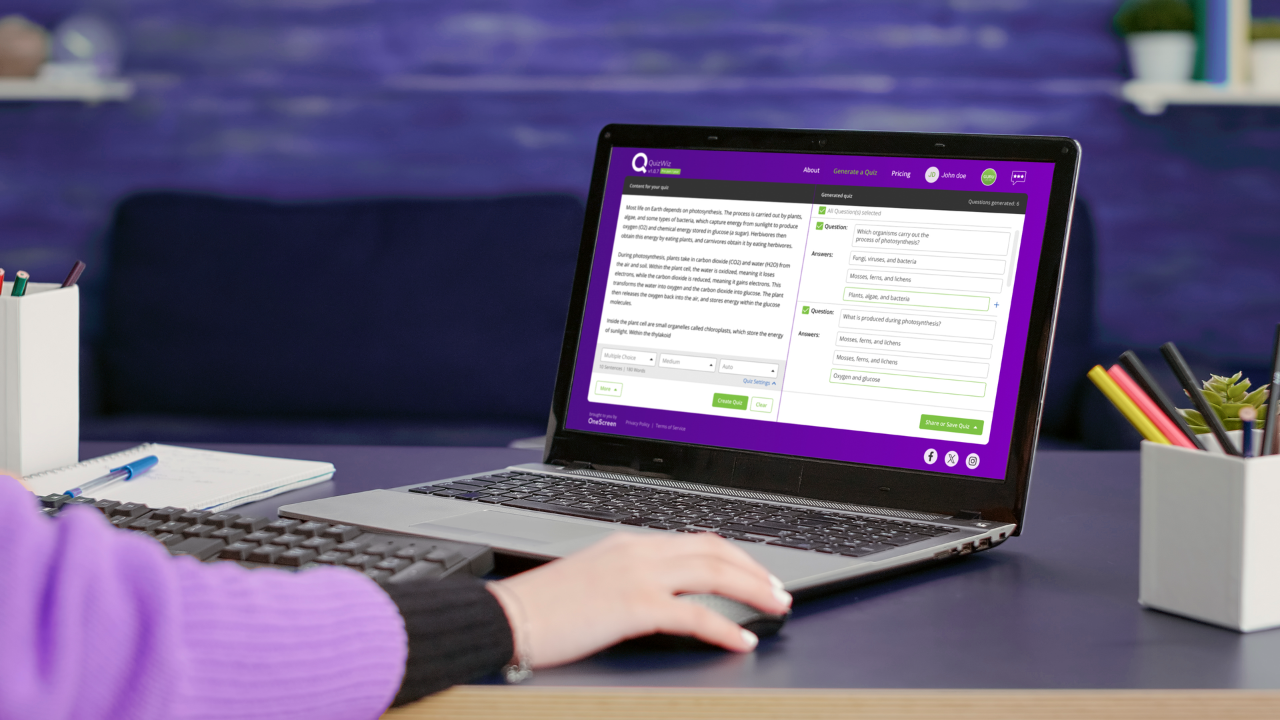
QuizWiz is the most capable quiz app for teachers, trainers, and students in 2026. It is free to start. It uses AI to build a complete, editable quiz from your own content in under 30 seconds. It runs on any Android phone, iPhone, browser, or OneScreen touchscreen display.
The workflow is quick. Upload a PDF, paste a URL, drop in a DOCX or TXT file, or paste text straight in. Set the difficulty, the number of questions, and the format. QuizWiz writes the quiz and saves it to a searchable library. Nothing gets lost.
You can deliver quizzes through Google Classroom, a Google Forms export, PDF, TXT, or email. None of them need extra setup.
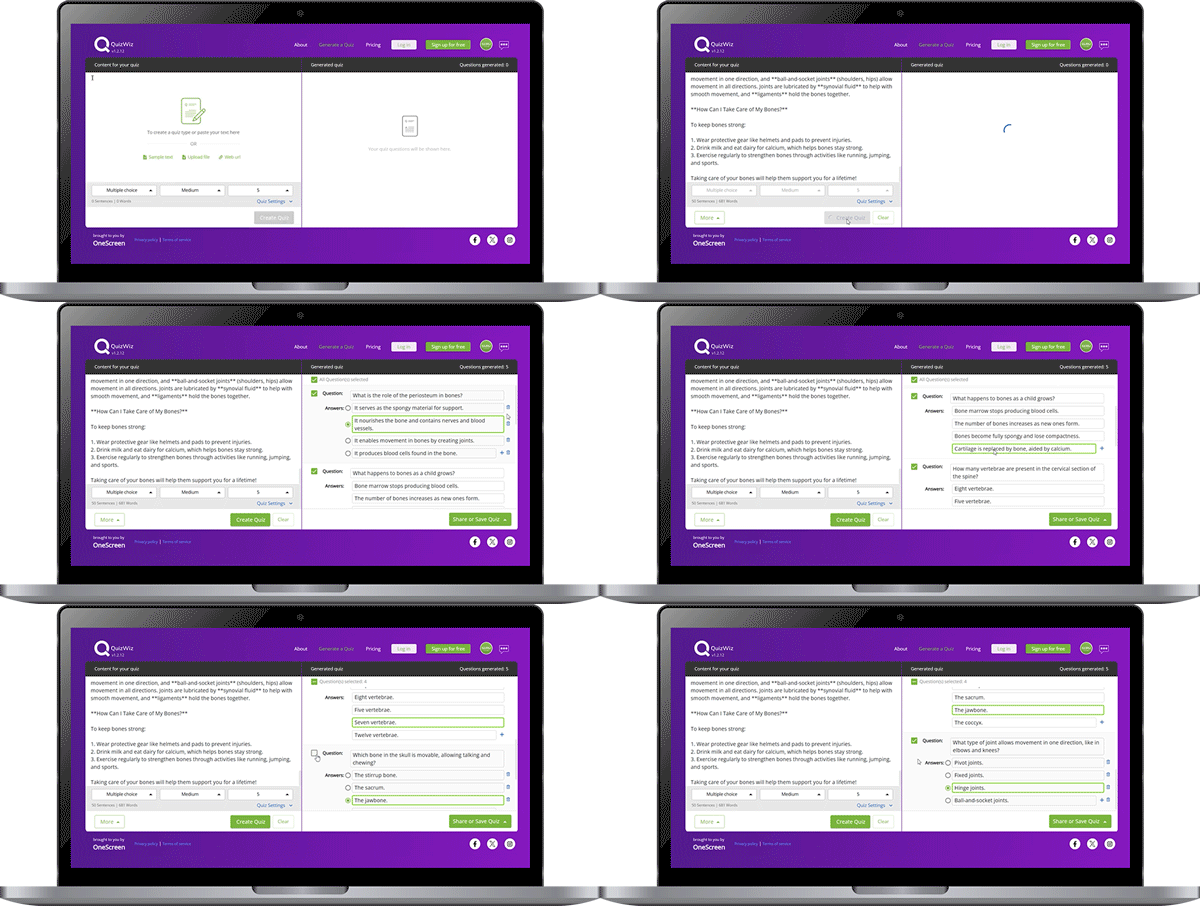
QuizWiz Pro raises the input limit to 30,000 words. It adds auto-completion for short content under 50 words. It also unlocks direct Google Forms integration, detailed reports, and a daily performance email. The free plan still covers everyday classroom use, with no cap on how many quizzes you create.
“I can choose the content I want the questions focused on, copy and paste it in QuizWiz, and quickly get a great quality quiz to use in Google Classroom.” — Tony B., teacher and digital learning coach
QuizWiz also connects to three other OneScreen apps. Scrybe handles real-time transcription in 28 languages. Lessn covers standards-based lesson planning with more than 10,000 pre-built lessons. SuprNotes writes automatic session summaries from audio, annotations, and shared files. Together they cover the full teaching cycle: planning, teaching, and review.
Kahoot!: Best for Live Group Competition
Kahoot! works best in a shared-screen classroom. Students join on their phones. A timer counts down. The game format pushes fast participation.
It is free on Android and iPhone, with paid tiers for deeper analytics. Every question is written by hand. No content import means your prep time doesn’t shrink as you add more quizzes.
Quizlet: Best for Student Self-Study
Quizlet works well for studying vocabulary, definitions, and recall-heavy subjects. Students build flashcard sets and test themselves. The formats include matching, written, and multiple-choice. A large library of ready-made study sets helps when time is short.
The free version covers the basics. Quizlet Plus adds AI help and offline access. Teachers can assign sets to a class. But building assessments automatically from uploaded lesson content is not part of the standard flow.
Quizizz: Best for Self-Paced Classroom Games
Quizizz sits between Kahoot! and Quizlet on pace. Students answer at their own speed. You watch live progress from a dashboard. The Android and iPhone apps feel polished, and students pick them up quickly.
AI question generation from your own content sits behind a premium plan. Standard question creation is manual entry.
Google Forms: Best Free Option for Simple Assessments
Google Forms handles straightforward quizzes at no cost, with no volume limit. You enter questions by hand. Grading runs automatically. Results push into Google Sheets. It works cleanly with Google Classroom. That makes it a solid classroom quiz app for anyone already in Google Workspace.
The limit is intelligence. It will not write questions from your material or surface learning patterns. The manual effort stays with you.
Mentimeter: Best for Workshop Presentations
Mentimeter added quiz features suited to presentations and training. Questions embed inside slides. People respond live with nothing to download.
Deeper analytics sit behind a paid plan. It fits one-off engagement moments more than high-volume quiz creation or daily classroom use.
Making Your Own Quizzes: The Best Quiz Maker in 2026
Most people who search for a quiz maker want the same thing. They want a fast way to turn a topic or a document into questions, without typing each one.
QuizWiz is the strongest quiz maker here because the AI writes the questions for you. Paste your notes, a reading, or a lesson file. Pick the format. You have an editable quiz in under a minute. The free plan puts no cap on how many you build.
Prefer to write questions yourself? Google Forms is the simplest free quiz maker. Quizizz and Kahoot! also let you build sets by hand for game-style play. For question-by-question control with automatic grading, Google Forms is hard to beat at no cost.
Best Quiz Apps for Students in 2026
Students need something different from what teachers need. A good study quiz app should support self-paced quizzing. It should run on a phone. And it should stay free, with no school subscription.
QuizWiz covers all three. Students can paste in their own notes, a textbook excerpt, or any reading. They get a full set of multiple-choice questions right away. The free plan has no creation limit. It runs on any Android or iPhone. Quizzes save automatically for later study sessions, making it one of the better quiz apps for studying.
Quizlet is the next best quiz app for students studying memorization-heavy subjects. The ready-made library is useful for common courses. The self-test formats work well for solo revision.
Quizizz rounds out the student quiz apps with a game-style format. It makes studying alone feel less like a chore, which helps younger learners in particular.
Want to turn your own class content into practice questions instead of relying on pre-built sets? QuizWiz is the clearest choice.
Which Quiz App Works Best in the Classroom?
For live, in-class use, the right classroom quiz app depends on how you want students to engage.
Pick QuizWiz when you want to build the quiz from your own lesson material and push it straight to Google Classroom.
Pick Kahoot! or Quizizz when you want a fast, competitive game on a shared screen.
Pick Google Forms when you want a simple graded quiz with no frills.
QuizWiz is the only one of the four that writes the questions for you. That is what saves the prep time.
Why QuizWiz Runs Ahead of the Field
Most tools in this category are delivery systems. You write every question. The platform runs the session. The platform handles the logistics, but you still do the creation work.
QuizWiz takes the opposite approach. You bring the content. The AI writes the questions.
At 30 seconds per quiz versus 30 minutes by hand, that gap adds up fast across a term. The searchable library keeps everything in order with no extra effort. The export formats match where teachers already work. No other quiz app here matches that mix.
You get AI generation from your own content, cross-platform delivery, Google Classroom export, and a fully usable free tier, all in one place.
OneScreen GURU: Live Support When It Counts
OneScreen includes GURU with every product, including QuizWiz. GURU is live human support, available 24/5. It comes from a real person, not a chatbot or a help-article queue. A trained agent joins your screen within minutes. They see what is happening in real time. They work through the fix with you.

For a teacher running a live assessment mid-lesson, that response time matters. A glitch at 9:15 on a Tuesday needs a fix in minutes, not a ticket that waits overnight.
ChalkFree: Free Training Without the Scheduling
OneScreen also runs ChalkFree. It is a free resource hub for teachers who want to learn their tools without booking formal training. The library includes short videos (three to ten minutes), setup walkthroughs, and teaching tips. They are grouped around three stages: preparing for class, teaching in class, and wrapping up afterward.
If you are picking up QuizWiz for the first time, ChalkFree is the fastest route to confident daily use.
Frequently Asked Questions
What is the best quiz app in 2026?
QuizWiz by OneScreen is the best quiz app overall in 2026. It writes complete, editable quizzes from your own content in under 30 seconds. It runs on Android, iPhone, and browsers. It starts free, with no cap on how many quizzes you create.
What is the best quiz app for students?
QuizWiz is the best quiz app for students. You paste in your own notes or reading. You choose the format and difficulty. You get a full quiz in seconds. The free plan has no creation limit and runs on any Android or iPhone.
What is the best free quiz maker?
QuizWiz is the best free quiz maker for turning your own content into questions, since the AI writes them for you. Would you rather write each question by hand? Google Forms is the simplest free quiz maker.
Which quiz apps work for studying?
Quizlet and QuizWiz both work well for studying. Quizlet is best for memorization with ready-made flashcard sets. QuizWiz is better when you want to build practice questions from your own class notes or reading.
Which quiz app is best for the classroom?
QuizWiz, Kahoot!, Quizizz, and Google Forms all work for classroom use. QuizWiz is the only one that generates questions from your own lesson content. Kahoot! and Quizizz suit live game-style sessions. Google Forms works well for simple graded quizzes within Google Workspace.
Can a quiz app make questions from my content automatically?
QuizWiz does. Upload or paste your material. It builds a complete, editable quiz with no manual question writing. Most other tools need you to write every question yourself.
Which quiz apps work on both Android and iPhone?
QuizWiz, Kahoot!, Quizlet, Quizizz, Mentimeter, and Google Forms all run on Android and iPhone. They also run on tablets and desktop browsers.
Does QuizWiz integrate with Google Classroom?
Yes. QuizWiz exports quizzes straight to Google Classroom and Google Forms. It also exports to PDF, TXT, and email.
Final Thoughts
The best quiz apps for Android and iPhone all handle delivery well. They differ in who does the building.
QuizWiz shifts that work from you to the AI, using content you already have. You get a polished quiz in under a minute. It saves on its own. It is ready to send on any platform. You might be a teacher building a classroom quiz.
Or a student turning notes into practice questions. Or a trainer running a knowledge check. QuizWiz handles it without the prep time other quiz apps ask for.
Add GURU’s live support and ChalkFree’s free training. The wider OneScreen package covers setup, training, and daily use.
