


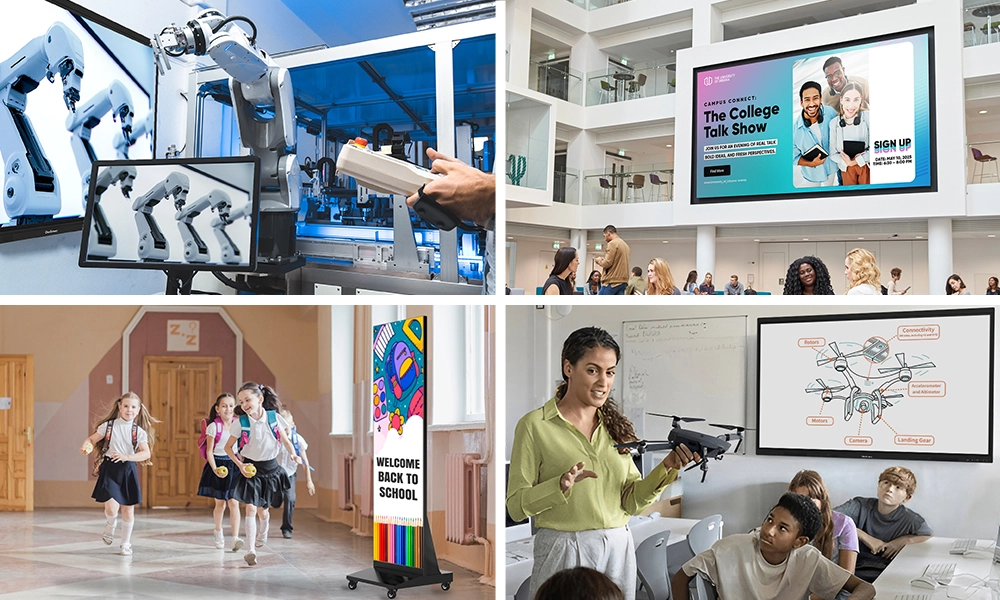






Quick Answer: Touchscreen education is the use of large interactive touch displays in place of projectors and whiteboards, letting teachers and students write, tap, and move content directly on the screen. It improves learning outcomes by lifting engagement, boosting retention through active learning, and turning passive lessons into hands-on ones. OneScreen’s Touchscreen Titan, T7, Core, and LED Video Wall are built for the classroom, all backed by free 24/5 GURU support.
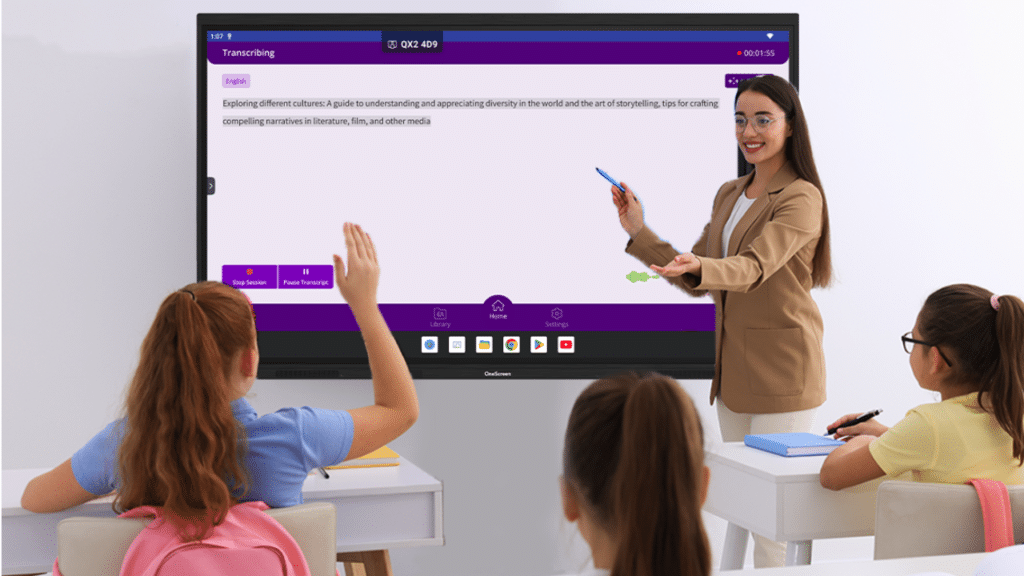
Walk into a classroom running touchscreen education and the shift is obvious within minutes. Nobody’s watching a slide from the back row. Students are up at the board, dragging shapes, solving problems, annotating a classmate’s diagram.
Touchscreen education isn’t about swapping a projector for a shinier screen. It’s about what the screen lets a room full of learners actually do.
This article breaks down what touchscreen education really means, how interactive displays improve learning outcomes, and which OneScreen touchscreens are built for the job.
Table of Contents
What Is Touchscreen Education?
Touchscreen education is teaching and learning built around large-format interactive touch screens, usually 65 to 98 inches, that replace the old projector-and-whiteboard setup with a single 4K panel. The screen has a computer inside it, runs teaching apps out of the box, and responds to a finger or a pen the way a tablet does.
No cables to a sleeping laptop. No bulb to replace. In touchscreen education, a teacher walks up, taps, and the lesson starts.
The category goes by a few names: interactive flat panel, smart board, interactive display. What they all share is the interaction. An interactive touch screen for education is only worth the money if people actually touch it, and that daily, hands-on use is where the learning gains come from.
How Interactive Displays Improve Learning Outcomes
Here’s the part that matters for anyone signing the cheque: does touchscreen education actually change how students learn, or is it just a nicer way to show the same slides? The evidence points firmly to the former.
Engagement goes up, and stays up
In touchscreen education, students who can walk to the board and manipulate content pay attention differently than students watching a presentation. The physical act of touching, dragging, and writing pulls a learner in, and for younger students that tactile connection reinforces ideas in a way passive viewing can’t match.
Over 65% of students learn visually, and an interactive touch screen for education leans directly into that. A diagram you can zoom into, color-code, and pull apart lands harder than the same diagram flat on a projector slide.
Retention improves with active learning
There’s a difference between seeing information and doing something with it, and touchscreen education pushes lessons toward the second. When a student solves a problem, annotates a passage, or sorts items by hand, they process it more deeply and remember more.
Active recall beats passive review, and touchscreen education makes active the default rather than the exception.
Collaboration replaces the lecture
Most interactive touch screens accept 20 to 40 touch points at once, and that single spec changes the room. Four students can work one problem on one screen at once. A class of thirty stops being an audience and becomes contributors. Group work in touchscreen education stops being something a teacher announces and becomes something the screen makes easy.
Every learner gets reached
Touchscreen education makes differentiation practical. A teacher can enlarge text for a student at the back, replay a recorded explanation, translate a lecture live for an English-language learner, and switch between visual, audio, and hands-on formats on the fly. One screen, many ways in.
Feedback happens in the moment
Pull up a student’s submitted work, mark it live, run a quick quiz and see the results before the bell rings. Touchscreen education shortens the gap between doing and knowing how you did, and that fast feedback loop reliably drives better learning outcomes.
OneScreen Touchscreens Built for Education
Hardware is where touchscreen education either works or quietly dies on the wall. A panel that’s slow, hard to log into, or missing the right software gets abandoned within a week. OneScreen builds its education range around daily, all-day classroom use.
| Model | Screen Sizes | Touch | Android / EDLA | RAM + Storage | Standout |
| Touchscreen Core | Up to 98″ | 40-point, 1mm | Android 14, EDLA | 8GB / 128GB | Value across many rooms |
| Touchscreen T7 | 65 / 75 / 86″ | IR pressure, palm reject | Android 15, EDLA | 8GB / 128GB | The everyday classroom |
| Touchscreen Titan | 65 / 75 / 86″ | 40-point, 1mm | Android 15, EDLA | 16GB / 256GB | Bright rooms, heavy media |
| LED Video Wall | Modular / configurable | N/A | N/A | N/A | Halls and large spaces |
OneScreen Touchscreen Core
The Touchscreen Core is the entry point, built for schools kitting out a lot of rooms on a budget. It runs Android 14 with EDLA certification, an octa-core processor, 8GB of RAM, and 128GB of storage, and scales up to 98 inches with 40-point touch and 1mm accuracy.
It works like a tablet, so any teacher already knows how to use it. The AI app suite (Lessn, Scrybe, QuizWiz, SuprNotes) is on board, and Google single sign-on keeps a whole fleet secure. For a dependable interactive touch screen for education on every wall at a sensible price, start with the Core.
OneScreen Touchscreen T7
The Touchscreen T7 is the mid-tier model, and for most classrooms it’s the sweet spot. It runs Android 15 on an octa-core processor with pressure-sensitive IR touch, palm rejection, and accuracy down to about a millimeter, so writing feels natural.
One tap of the magnetic pen switches to annotation, students log in with a single NFC card, and dual 20W speakers plus a 25W subwoofer fill a room. Add the optional Hubware kit (an i7 OPS PC and a 4K SnapCam 2 webcam) and the T7 becomes a video-conferencing station for Blackboard, Canvas, and Moodle. Available at 65, 75, and 86 inches.
OneScreen Touchscreen Titan
The Touchscreen Titan is the flagship, and the industry’s first Mini-LED education smart screen. It runs an industry-first Android 15 with a 6 TOPS neural processor, an octa-core chip, 16GB of RAM, and 256GB of storage. The Mini-LED panel stays bright and crisp in any light (up to 1200 nits, over 1.07 billion colors), draws up to 30% less power than the T7 or Core, and is rated for a 50,000-hour lifespan.

Touch is accurate to 1mm, security runs through EDLA, one-tap NFC login, and single sign-on, and the AI apps can plan lessons, translate a lecture live, gauge participation, and record or summarize a class. For the brightest, most capable interactive touch screen for education with room to grow, choose the Titan. Available in 65, 75, and 86 inches.
OneScreen LED Video Wall
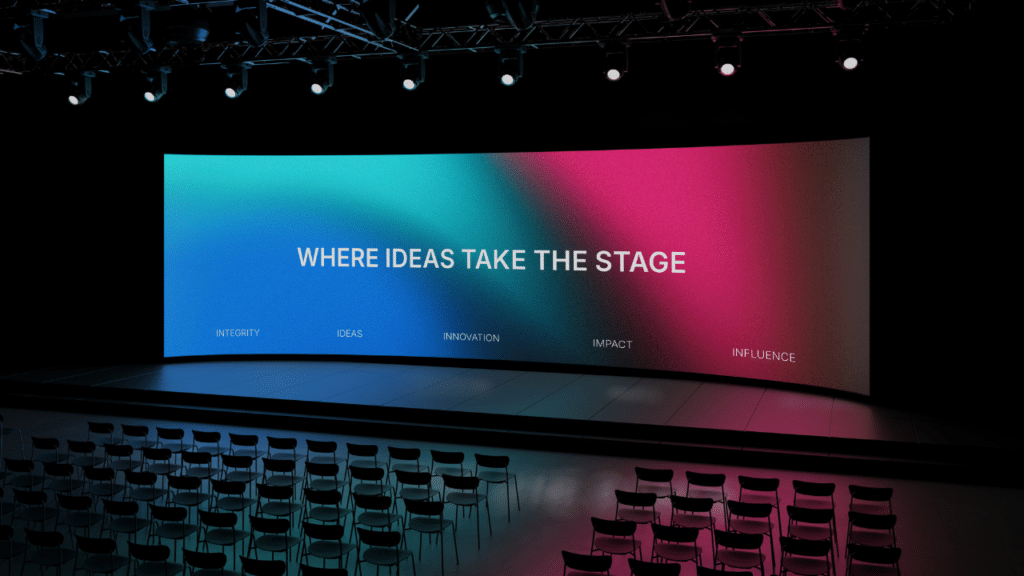
When a shared space outgrows any single panel, touchscreen education scales up with the LED Video Wall. For lecture theatres, atriums, and assembly halls, it delivers one continuous, high-brightness surface at a scale no single panel can reach.
OneScreen Apps That Drive the Lesson
The panel is only as good as what runs on it, and OneScreen ships a growing suite of AI apps built to enhance and drive lessons, preloaded on every screen. Lessn builds and structures a lesson in minutes. QuizWiz turns any text, PDF, or link into a ready-to-run quiz and grades it on the spot. Scrybe and SuprNotes capture and organize class notes so nothing from the board is lost. The built-in AI can also talk through a concept, translate a lecture live into another language, gauge who’s keeping up, and summarize a class for later review. In touchscreen education, the apps don’t just support the lesson, they help run it.
OneScreen GURU and ChalkFree
Hardware is only half of touchscreen education. The other half is whether teachers get help when something goes sideways at 9:15 on a Tuesday.
OneScreen GURU is free, unlimited, 24/5 live human support that ships with every OneScreen product. No chatbot in between, no add-on to buy later. Just a real person on your screen when a teacher gets stuck.
ChalkFree is a free online resource hub for teachers: short how-to videos, teaching tips, and setup guides organized around three stages, prepping for class, teaching in class, and after class.
Together, GURU and ChalkFree are the reason OneScreen panels stay in daily use instead of gathering dust, which is the entire game in touchscreen education.
FAQs
What is touchscreen education?
Touchscreen education is teaching and learning built around large interactive touch screens that replace projectors and whiteboards. Teachers and students write, tap, and move content directly on a 4K panel with a computer built in, turning passive lessons into hands-on ones.
How does touchscreen education improve learning outcomes?
It lifts engagement through hands-on interaction, improves retention with active learning, and enables real-time collaboration and feedback. Since over 65% of students learn visually, an interactive touch screen for education reaches more learners than a static projector ever could.
What’s the best interactive touch screen for education?
It depends on room size and budget. The OneScreen Touchscreen Core suits large rollouts, the T7 is the mid-range sweet spot for everyday classrooms, and the Mini-LED Titan is the flagship for bright rooms and heavy multimedia.
What is EDLA certification and why does it matter?
EDLA (Enterprise Devices Licensing Agreement) is Google’s certification giving a device direct access to Google Play, Drive, and Workspace. For schools on Google Workspace for Education, an EDLA-certified panel like the Core or T7 means single sign-on and native Google apps with no workarounds.
Are interactive touchscreens worth it for primary schools?
Yes. Younger students respond strongly to tactile, walk-up interaction, so primary classrooms often see the biggest engagement gains from touchscreen education.
Which OneScreen apps help build and run lessons?
Alongside whiteboarding and screen sharing, OneScreen’s AI app suite adds Lessn for lesson planning, QuizWiz for building and grading quizzes, and Scrybe and SuprNotes for capturing class notes, plus built-in AI that translates lectures live and summarizes a class.
Do teachers need training to use touchscreen education tools?
Very little. OneScreen panels work like a tablet, GURU provides free live support, and ChalkFree offers short on-demand training videos, so most teachers are productive on day one.
Key Takeaways
- Touchscreen education replaces passive viewing with hands-on interaction, which is where the real gains in learning outcomes come from.
- Interactive displays lift engagement, improve retention through active learning, and make real-time collaboration and feedback routine.
- Over 65% of students learn visually, so an interactive touch screen for education reaches more learners than a static projector.
- OneScreen’s education range covers every classroom: Core for value, T7 for the everyday room, Titan for bright rooms and heavy media, and the LED Video Wall for large shared spaces.
- Free 24/5 GURU support and the ChalkFree resource hub keep panels in daily use instead of gathering dust.
Final Thoughts
Touchscreen education earns its place when the screen becomes the most-used tool in the room, not when it looks impressive in a demo. The learning gains are real, but only when teachers reach for the panel every period, and that comes down to easy hardware and support that answers.
Match the panel to the room, confirm the software you need is included, and check that a real person picks up when a teacher hits a wall. On all three, OneScreen’s education lineup, backed by free GURU support, is built for touchscreen education that gets used hard.
